
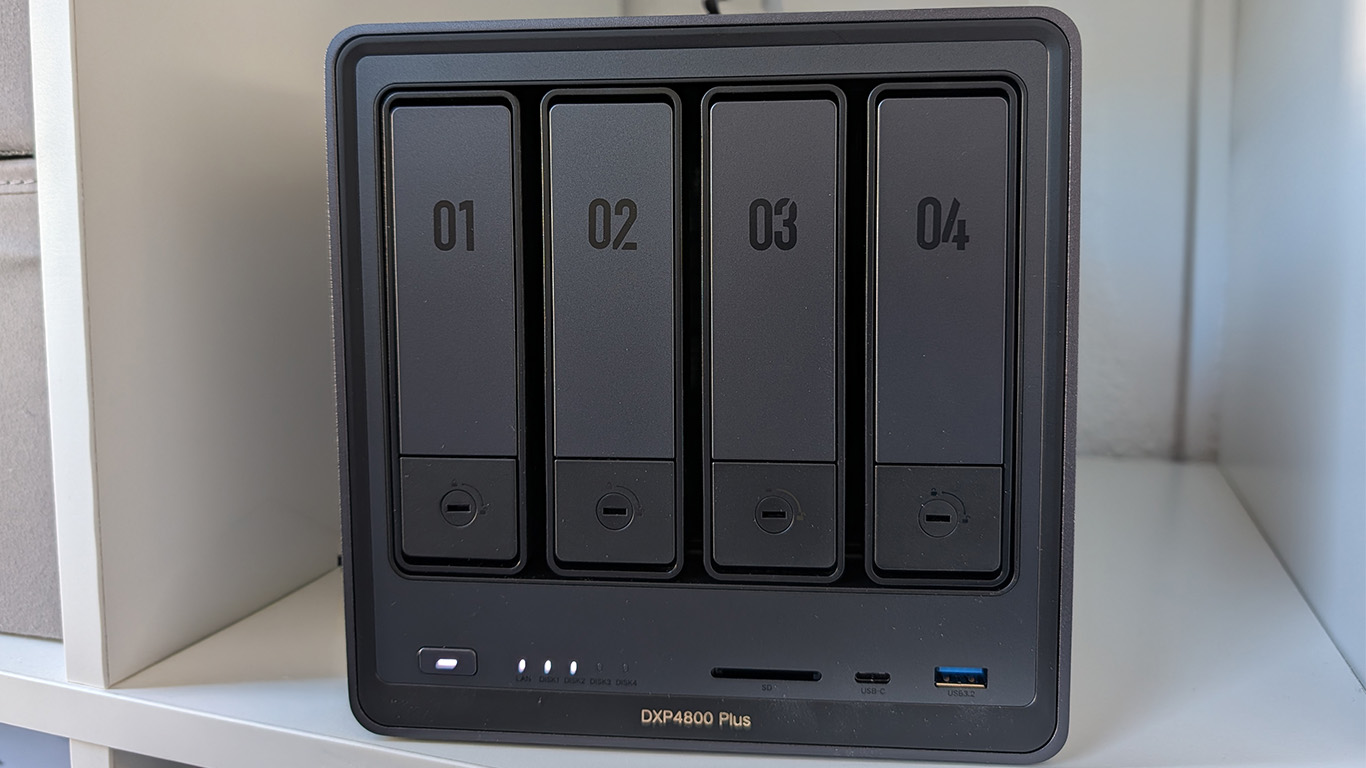
With its NASync series, accessory specialist Ugreen aims to shake up the network storage market. The DXP4800 Plus, with its powerful Intel Pentium Gold processor and fast 10-Gigabit LAN, is poised to put pressure on established competitors. We put the 4-bay NAS to the test in everyday use.
Design and hardware: High-quality aluminum meets a wide range of connections.
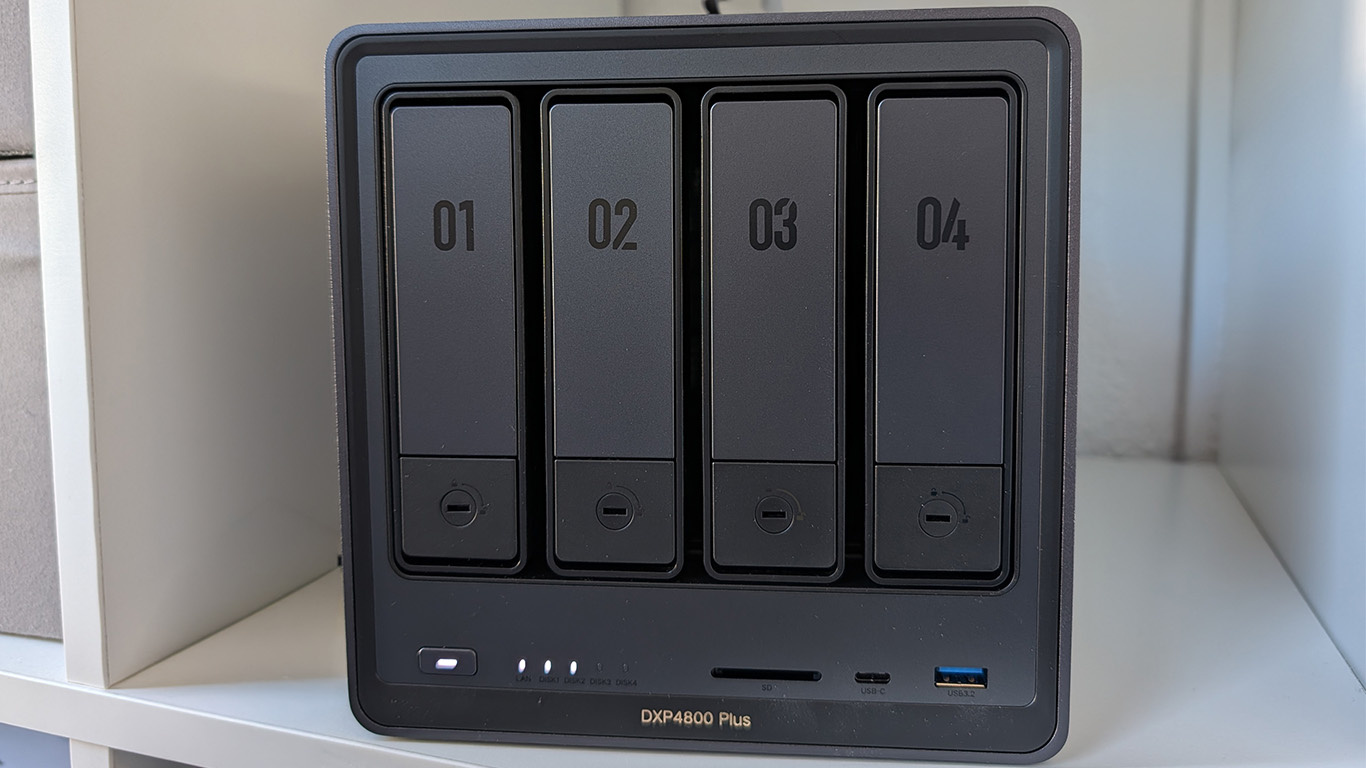
Ugreen directly breaks with the unwritten rule that network storage devices for home users must be housed in cheap plastic enclosures. The DXP4800 Plus comes in a solid, matte gray aluminum chassis that is exceptionally well-made and also facilitates passive heat dissipation. The front panel features four drive bays into which 3,5-inch drives can be installed completely tool-free and without screws, thanks to a clever spring mechanism. However, those wishing to install 2,5-inch SSDs will need to use a screwdriver. The drive bays can be physically locked to protect against unauthorized access.
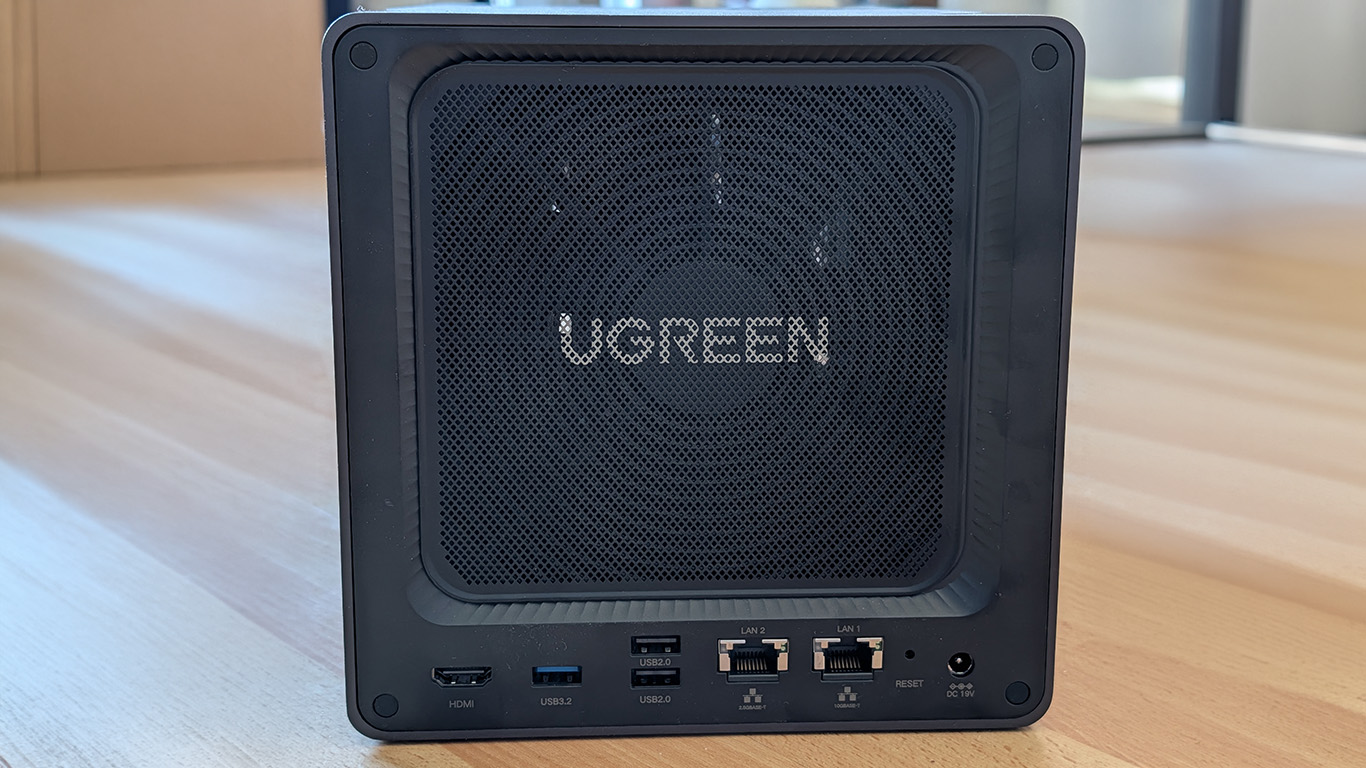
A thoughtful detail on the back is the magnetic dust filter in front of the large 140 mm fan, which can be removed in a flash for cleaning. Ugreen also flexes its muscles when it comes to connectivity: in addition to a standard 2,5 Gbps port, there's an extremely fast 10 Gigabit LAN port. The package is rounded out by a front-mounted SD card reader, various USB ports, and an HDMI port that enables direct 4K video output at 60 Hz.
Under the hood, an Intel Pentium Gold 8505 with five cores and six threads does its work. It comes standard with 8 GB of fast DDR5 RAM, which can be upgraded to up to 64 GB via a flap on the bottom. There are also two M.2 NVMe SSD slots located there, which can serve as a cache or a separate, high-speed storage pool.
UGOS Pro vs. Unraid: The everyday comfort winner
Ugreen's own Linux distribution, "UGOS Pro," is used as the operating system. Anyone with experience using systems like Unraid knows that while Unraid offers maximum freedom and full administrative access, it is anything but beginner-friendly. It requires a lot of effort to learn, create bootable USB drives, and often rely on forums or AI assistants just to get started.
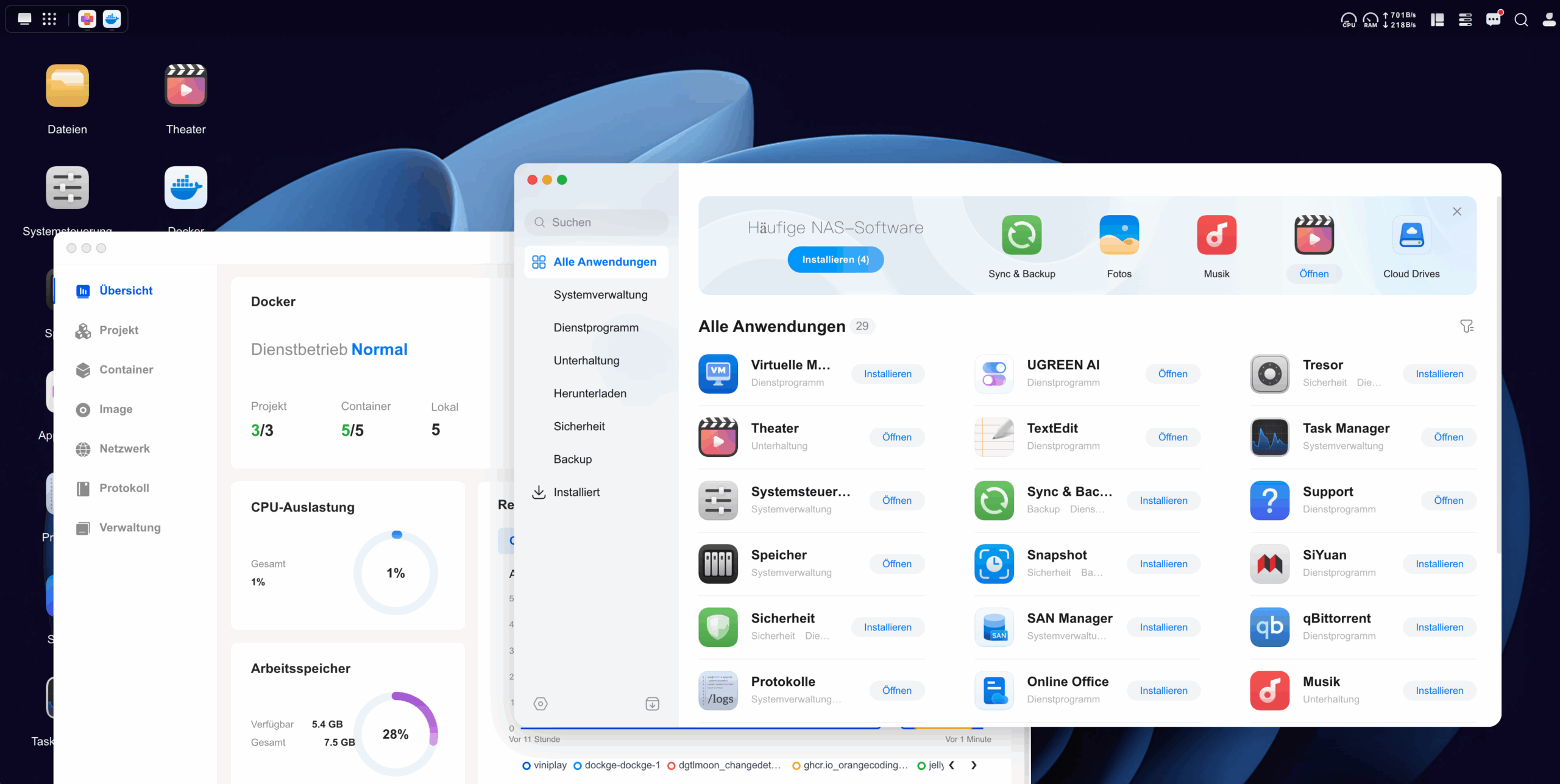
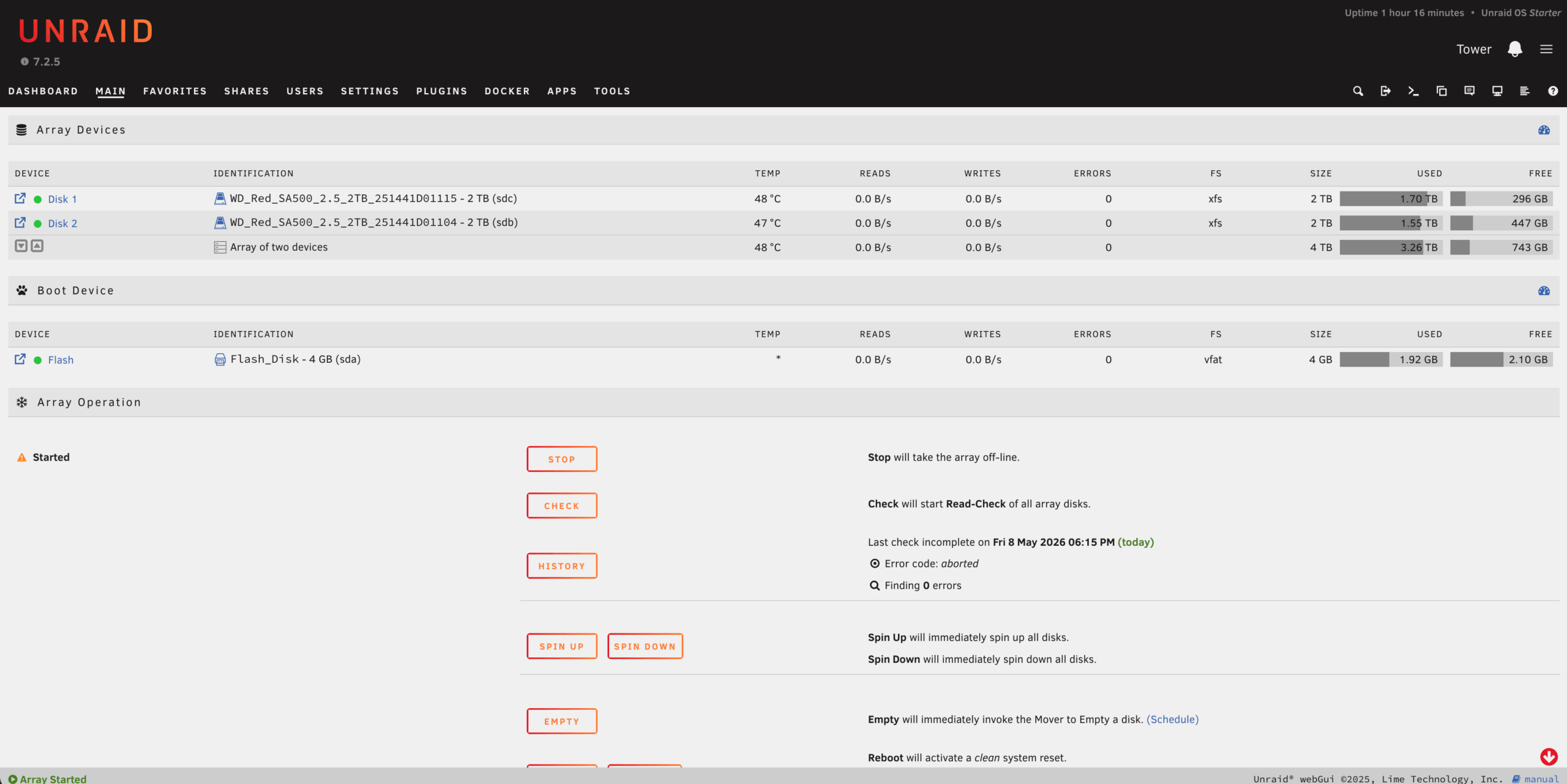
UGOS Pro takes the opposite approach: plug it in, turn it on, and get started. Initial setup via a web browser takes less than ten minutes. The user interface presents itself as a modern desktop, where apps open in separate windows. Hard drive pools – in our configuration with two hard drives, the default is a secure RAID 1 (mirroring) or, for maximum storage capacity, JBOD/RAID 0 – and storage formats like Btrfs can be set up with just a few clicks. Btrfs offers the significant advantage of straightforward snapshots. Users who expand later can easily revert the array to a previous state. proAdd more plates without any problems.
Media consumption via the DXP4800 Plus: Jellyfin with QuickSync power
The true strength of the Intel platform becomes apparent in everyday use. The integrated Pentium Gold 8505 features a built-in graphics unit that supports Intel's QuickSync technology. The Docker environment can be activated with a single click via the integrated App Center, making it easy to install the popular media server Jellyfin.
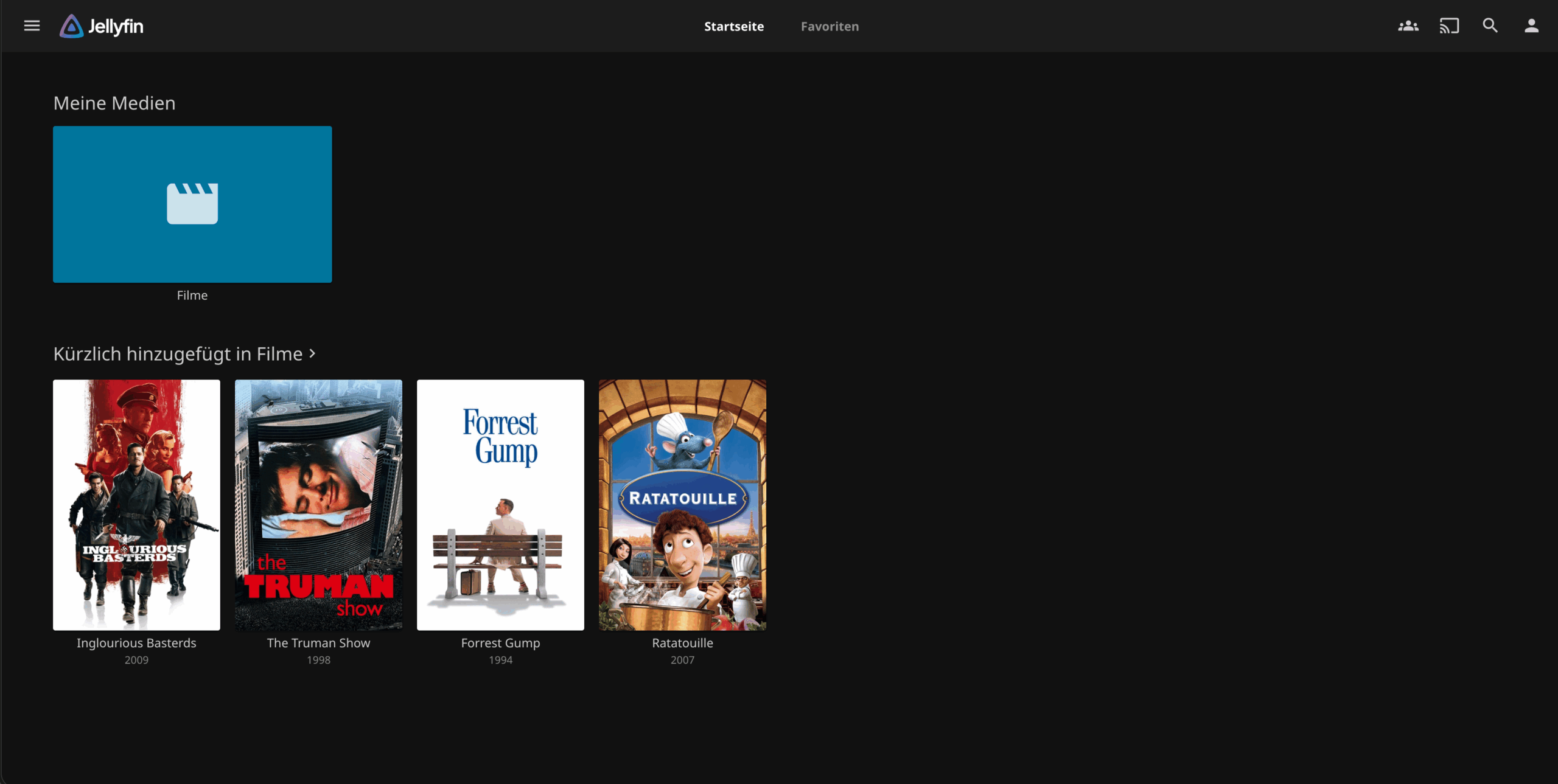
An important note regarding media consumption: We expressly distance ourselves from illegal downloads or pirated copies. A media server like Jellyfin is ideally suited for conveniently and securely making your own legally acquired and digitized media collection – such as vacation photos, private videos, or legally created backups of your own movie and music discs for private use – available on your home network.
In practice, streaming works absolutely flawlessly. If high-resolution 4K vacation videos in demanding formats like H.265 need to be played on devices that don't natively support this format, the NAS handles the hardware-accelerated transcoding in real time. Even with multiple parallel streams, the CPU load remains minimal, as the graphics unit takes over the work. Demanding tasks like hosting a Minecraft server for friends or automatically backing up smartphone photos also run smoothly in the background via Docker containers.
Photo backup via app: Local AI recognition instead of mandatory cloud storage.
For those who no longer want to entrust their private photos and videos to large US cloud providers, the DXP4800 Plus offers a privacy-friendly alternative. Automatic synchronization can be set up via the official Ugreen app for iOS and Android. Once configured, the smartphone mirrors newly taken photos and videos directly to the NAS in the background.
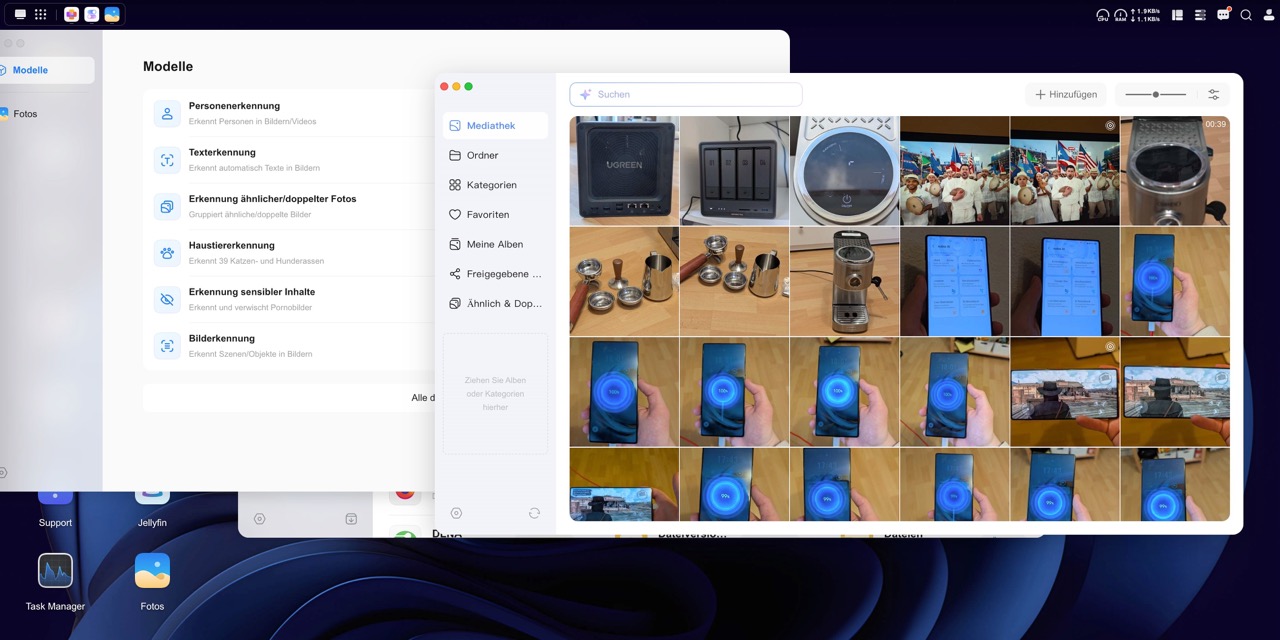
The application serves as the central hub on the network storage. “UGREEN Photos”What's special about it compared to Google Photos or Apple's iCloud: While Ugreen also relies on modern AI (Artificial Intelligence) functions, the calculations take place differently. completely local The process takes place on the NAS's Intel processor. No image data is transferred to external servers. The local AI analyzes the uploaded images in the background and offers the following features:
Person and face recognition: Photos are automatically sorted by recognized faces and grouped into person albums.
Object and scene recognition: The system recognizes motifs such as landscapes, food, vehicles or pets and sorts them independently.
Optical Character Rec (OCR): Text depicted in images (for example, on documents or signs) is analyzed and can be found using the NAS search function.
Duplicate detection: The app identifies duplicate or extremely similar snapshots to free up storage space.
In practice, the automatic backup via the mobile app works very reliably. Thanks to the Intel CPU, local indexing and facial recognition also run pleasantly fast. However, the system isn't perfect yet: Occasionally, the AI reaches its limits with very similar-looking family members (such as siblings), and the sharing options for dynamically created people albums could be a bit more flexible. Nevertheless, Ugreen offers an extremely convenient and secure solution for anyone looking for simple photo management without the constraints of the cloud.
Noise level and energy consumption: What you need to consider in practice
Anyone planning to run the NAS in a studio apartment right next to the bed or on a desk should be prepared for a certain level of noise. While pure SSD systems operate whisper-quietly, the DXP4800 Plus, when used with traditional 3,5-inch hard drives, produces the typical access whirring sound. Although the 140 mm fan is pleasantly quiet in normal mode, it is still audible in a completely silent environment. Therefore, noise-sensitive users are advised to place the NAS in the hallway, a study, or directly next to the router in the living room.
The powerful hardware also takes its toll on power consumption, although this remains within reasonable limits with our configuration. Compared to weaker ARM processors or small, all-SSD systems, the Pentium Gold 8505 requires noticeably more energy. At idle with our two 4TB hard drives running, power consumption is around 25 to 27 watts. Under load, such as during copying and simultaneous transcoding, consumption rises to approximately 45 to 50 watts. In standby mode (with the hard drives in sleep mode), the system still draws just over 20 watts from the wall socket – this should be factored into the annual operating costs.
Technical specifications at a glance
Processor: Intel Pentium Gold 8505 (5 cores, 6 threads, up to 4,4 GHz)
Random access memory: 8 GB DDR5 SO-DIMM (expandable up to 64 GB)
Drive bays: 4x 3,5-inch/2,5-inch SATA (tool-free for 3,5-inch, review equipped with 2x 4 TB HDDs in RAID 1, effectively approx. 3,6 TB usable storage)
M.2 slots: 2x M.2 NVMe PCIe 4.0 (on the underside for cache or storage pool)
Network: 1x 10 Gbit Ethernet, 1x 2,5 Gbit Ethernet
Connections: HDMI 2.0 (4K@60Hz), SD card reader, USB-C (10 Gbit/s), USB-A 3.2, USB 2.0
Cooling: 1x 140 mm fan with magnetic dust filter
Power adapter: External 150-watt power supply
The Ugreen NASync DXP4800 Plus is a superbly crafted and extremely fast NAS. For a RRP of 729 euros (often available on platforms like Amazon for significantly less than 600) it offers hardware features that often cost twice as much from established competitors.
Buyers must, however, keep the total cost in mind. Since the NAS is shipped without hard drives as standard ("diskless"), the device price only tells half the story. In our case, with two 4TB hard drives (which together cost around €200), a realistic total investment comes to approximately €900.
However, for those seeking a future-proof, extremely powerful system that, unlike Unraid, is incredibly easy to set up and perfectly suited for uncomplicated media consumption, the DXP4800 Plus offers a first-class package.