
Smart Home: Link speakers from different manufacturers - this is how it works!
A ADVICE from David Haydl  on December 11, 2020, 15:50 p.m. | 🔥 popular | Write a comment

The market is relatively well stocked with smart speakers for the smart home, but it is difficult to link products from different manufacturers together to enjoy music. Nevertheless, I found a way to do this quite easily.
Now some people will probably think that AirPlay 2 could solve this problem anyway - so why a whole article on this topic? Yes, it's true. Speakers with AirPlay 2 can easily be connected to each other, even if the products are not from the same manufacturer. In some cases this may be sufficient, but if you have a speaker from Google, for example, you're out of luck.
The solution: The Airfoil program
Luckily, there is a small program for the Mac called Airfoil that can help with this. You can here Airfoil takes the sound of a selected program and plays it on speakers that are on the same network. It supports Apple TV, HomePod, HomePod mini, AirPlay 2 hardware, Sonos devices, Google speakers and Bluetooth audio devices.
During installation, you must allow Airfoil to interact with the system. You can do this in the system settings under "Security". To do this, enter your password and then click "Allow". A message will appear indicating that the Mac must be restarted. Follow this prompt and open the program after the restart.
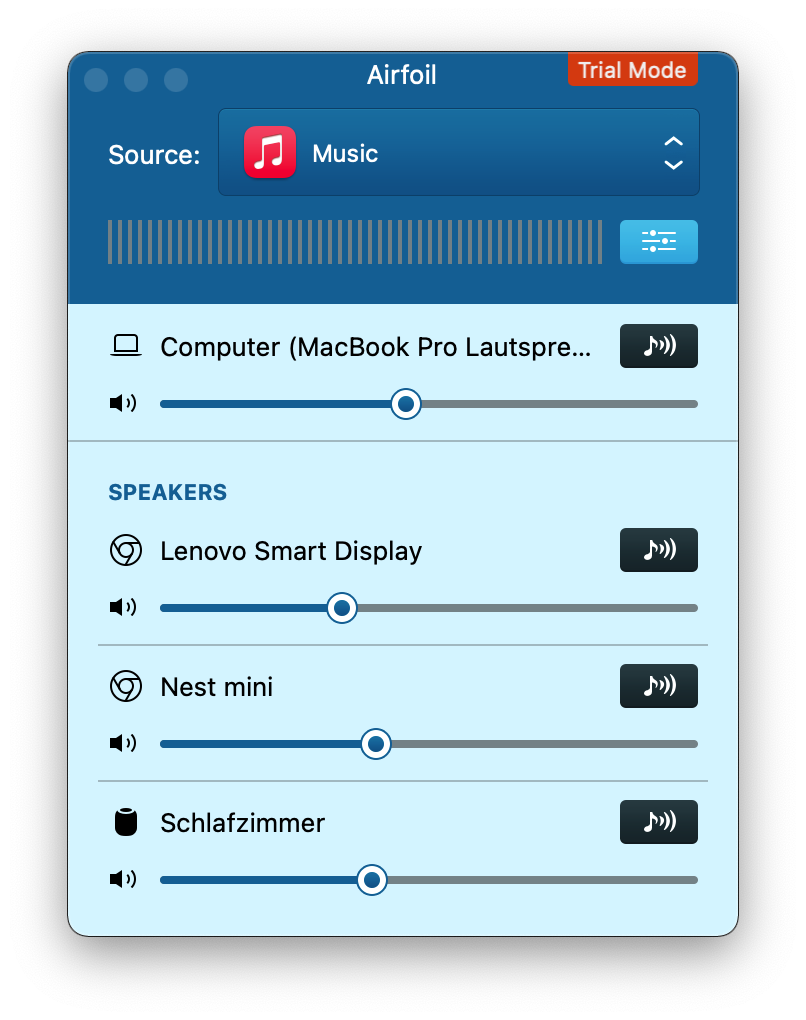
Airfoil looks something like this when you first open it. (Screenshot: TechnikNews)
All loudspeakers and headphones found are now listed in the app. Now select the devices on which you would like to output the audio by clicking on the symbol on the right. In addition, you have to determine from which source the media come. There are several options here, for example you can designate a running app, a specific app or the sound of the entire system as the source.
There are a number of additional settings for the perfect sound experience. Not only can you set the volume for each speaker individually, Airfoil also offers equalizers and other similar things.
Airfoil is free to download, but you need a paid license to use the program properly. Otherwise, the sound quality deteriorates after 10 minutes of opening it.
Opportunities for Windows users
Airfoil for Windows was unfortunately discontinued a year ago. Owners of a license can still use or download the tool, but according to the provider's website it should still work. However, the developers no longer sell licenses and there is no further development. Unfortunately, during my research I couldn't find an alternative that comes with the same functions as Airfoil. TuneBlade comes closest to the overall package of the tool for the Mac. AirPlay and Sonos speakers are supported here, but not from Google.
In any case, it's a shame that Airfoil has been discontinued.
Disclaimer: This article was not endorsed or sponsored by Rogue Amoeba, the developers of Airfoil.