
FRITZ!Box 4690 review: My own home network in a shared house
A TEST REPORT from Nils Ahrensmeier  on October 25, 2026, 11:04 am | Write a comment
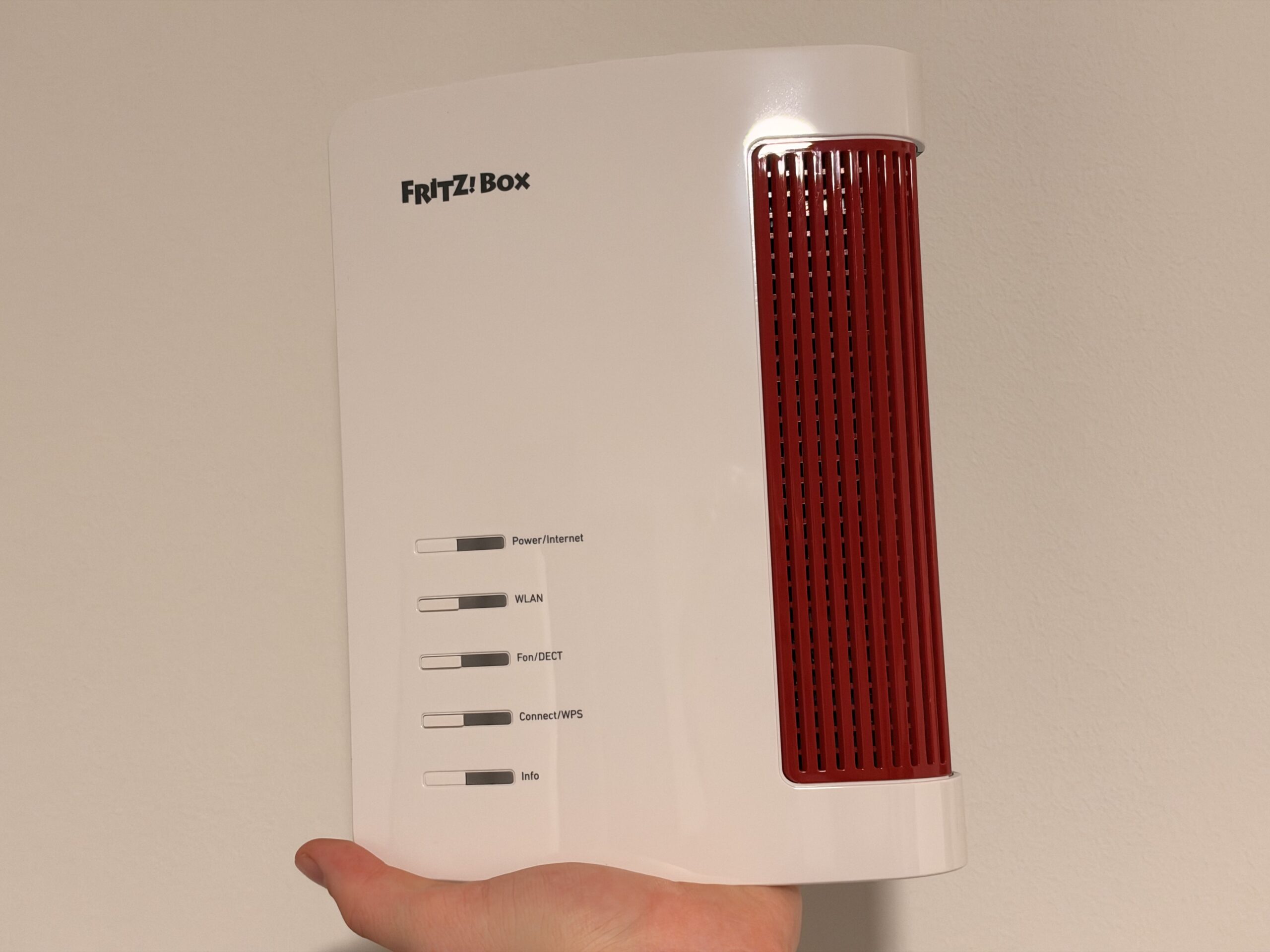
I'd wanted a FRITZ!Box for ages. In my old apartment, the typical cable modem from the provider sat in the hallway. It worked, but that was about it. Moving to an apartment building with a shared internet connection finally presented the opportunity. For about a month now, I've been using the FRITZ!Box 4690, the current top-of-the-line router without a built-in modem. Read on to find out how it performs in everyday use and whether spending nearly €300 on a router is worthwhile for a small apartment.
Why even have your own router?
My internet connection comes out of the wall in a very unassuming way. There's a network socket in my room, and behind it, all the apartments in the building share a common connection. There's no modem; the router is simply plugged into the socket with an Ethernet cable. It's convenient, but there's a catch: without my own router, I don't have my own Wi-Fi network and, more importantly, my own home network. Things like AirPlay, Chromecast, or quickly transferring files between my Mac and NAS only work smoothly if my own devices are on the same network.
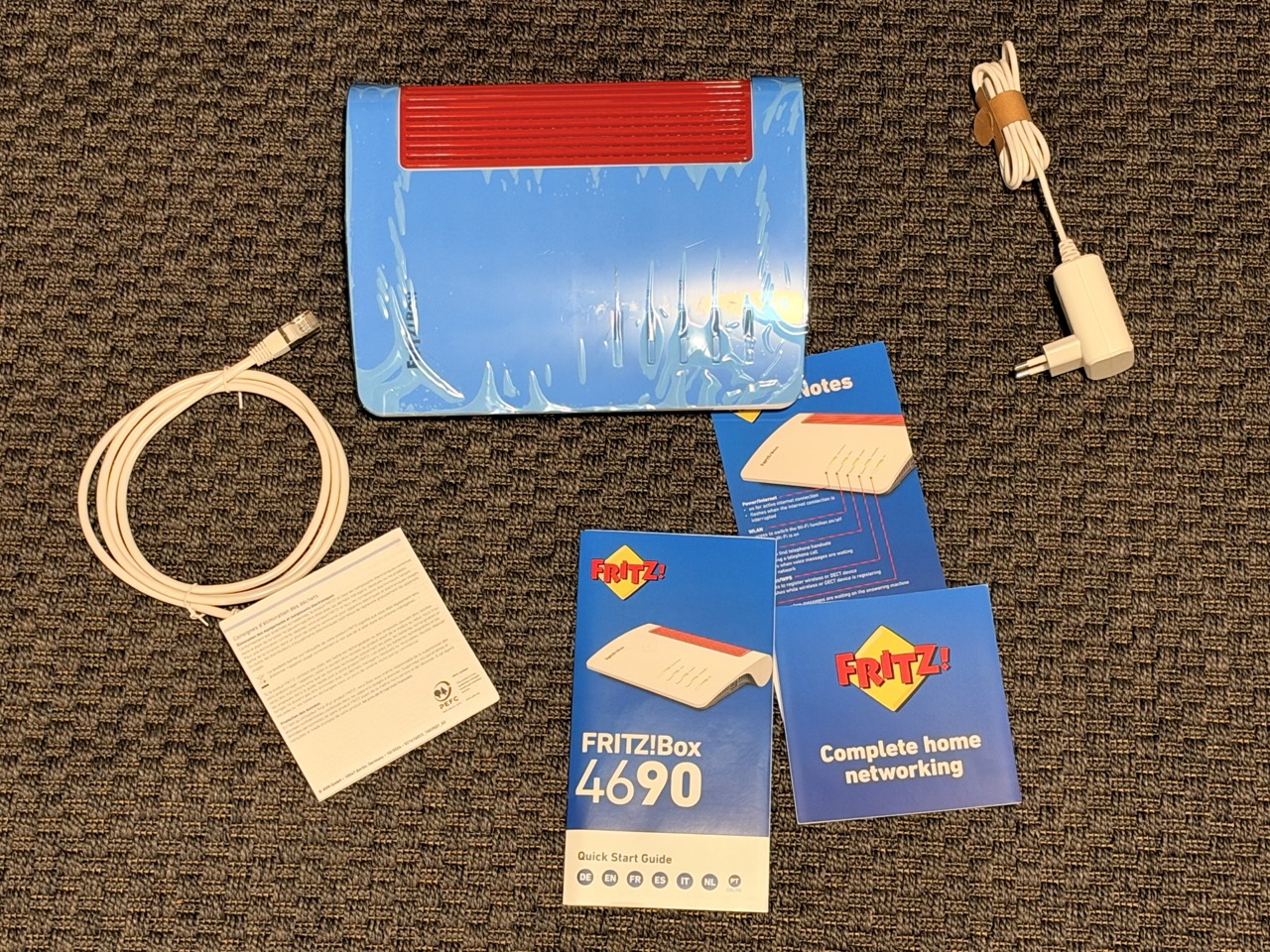
The FRITZ!Box 4690 comes with a power cable and a LAN cable (Image: TechnikNews)
This is exactly where the 4690 fits in quite well. It deliberately doesn't have a built-in modem and is actually designed to be connected behind a fiber optic modem or an existing cable or DSL box. For FRITZ!, that's the fiber optic scenario; for me, it's the network socket in the wall. The advantage: I don't pay for a modem I would never use anyway.
Setup: Plug in the cable, enter the password, done.
The box contains everything you need: a power adapter, a LAN cable, a quick start guide, and a service card with the access data. Plug the cable into the blue WAN port, connect the power, and the box was online almost immediately. The factory configuration worked perfectly for me; I only had to enter the password from the service card. Afterward, the box automatically suggests setting your own access data and a custom Wi-Fi network name, which you should do. The whole process took less than ten minutes, and you really don't need any network equipment for it.profi be.
Connections: More than I need
On the back, you can tell that the 4690 is actually built for much bigger tasks. It has two 10-Gigabit ports, one of which serves as the internet connection, plus three 2,5 Gigabit LAN ports. There's also a USB 3 port, two jacks for analog phones, and a DECT base station for FRITZ! cordless phones and smart home devices. I don't use the telephony function, but anyone who still has a landline number will get the familiar, very comprehensive telephone system.
-
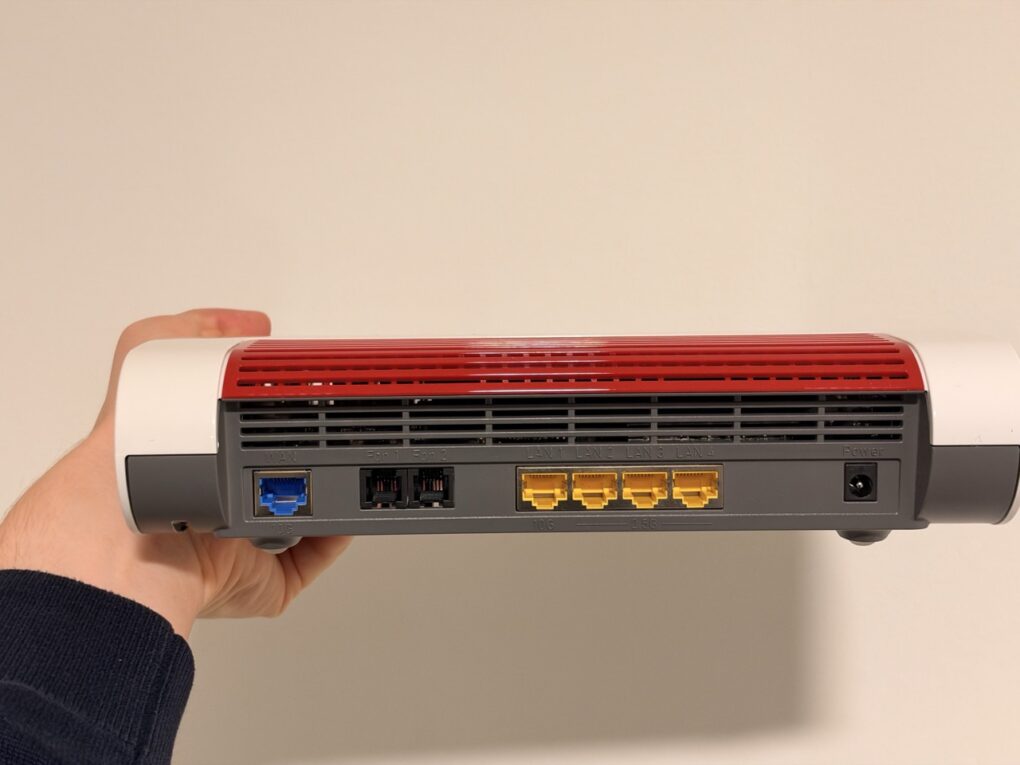
- The FRITZ!Box 4690 has one WAN port, two FON ports, and four LAN ports on the back. (Image: TechnikNews)
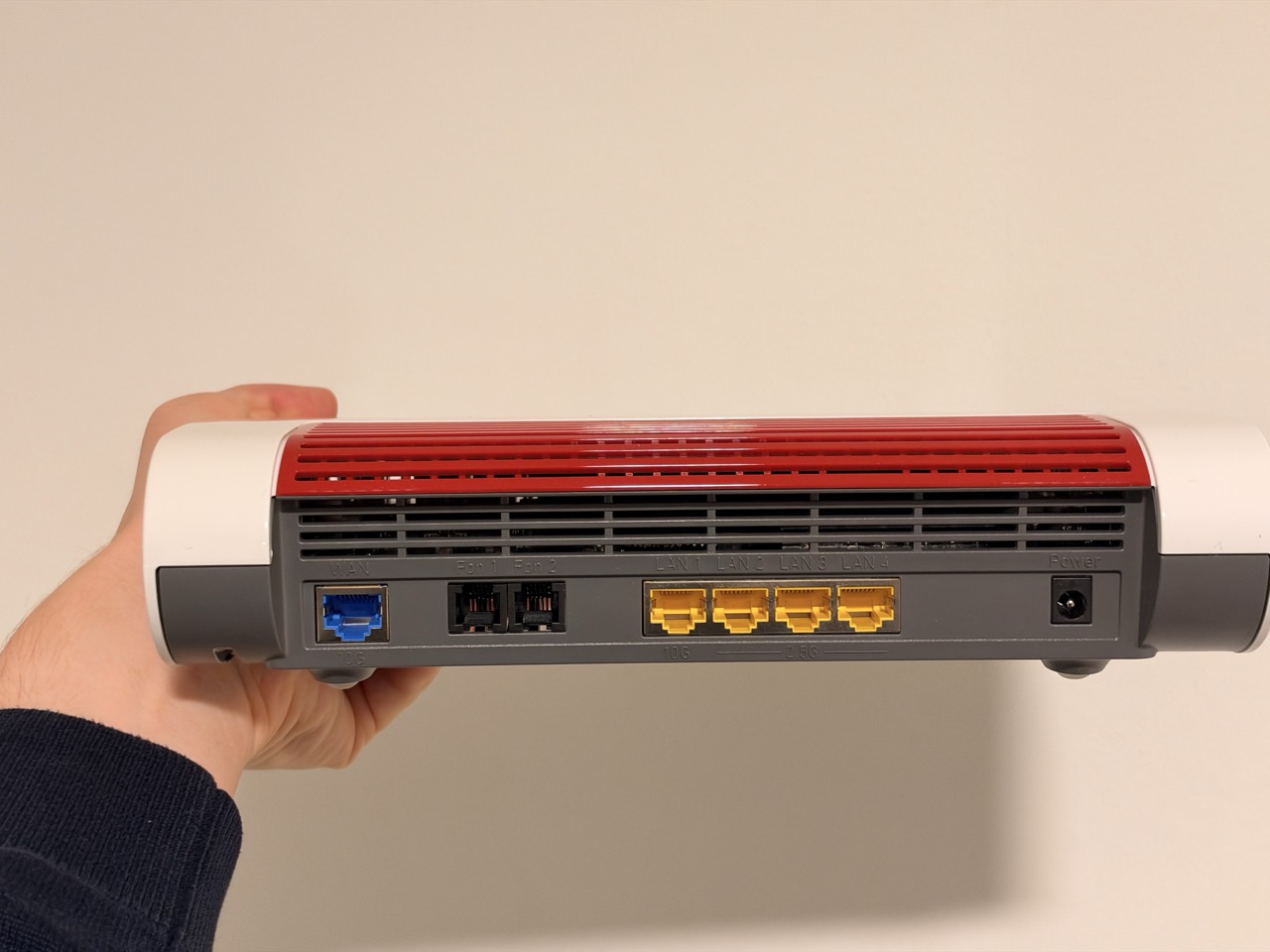
My NAS is permanently connected to the router via cable. Occasionally, I add my laptop or Xbox when I'm dealing with larger amounts of data, like a game download or transferring a large folder to the NAS. The wired connection is noticeably faster than Wi-Fi. To be honest, in a one-room apartment, the multi-gigabit package is primarily for future-proofing. The actual speed depends on the connected devices and the bandwidth available on the shared connection. Nevertheless, it's convenient: I don't need an additional switch for my few wired devices.
Wi-Fi: Wi-Fi 7, but without 6 GHz
The 4690 uses Wi-Fi 7 in the 5 GHz band and Wi-Fi 6 in the 2,4 GHz band. The third, still relatively unused 6 GHz band is missing; so far, only the larger, upright FRITZ!Box 5690 Pro offers this. On paper, this is a disadvantage, but I haven't missed it in everyday use.
My apartment isn't exactly a stress test for a router of this class: one room plus a bathroom. Nevertheless, it's worth mentioning that the Wi-Fi signal still works well even through the fairly thick bathroom wall. I tested it with, among other things, the iPhone 18 Pro and other current smartphones that also support Wi-Fi 7. The speed tests were consistently flawless; the limiting factor here is more likely the shared building connection than the router itself.
The most important thing, however, is stability, and after a month I have nothing negative to report. I haven't experienced any dropouts or freezes. For a router, that's probably the highest praise of all: you eventually forget it's even there.
Software: The real reason for a FRITZ!Box
What makes a FRITZ!Box special for me is less the hardware and more FRITZ!OS. My test device is currently running FRITZ!OS 8.25. The interface is clean and uncluttered, and even settings that are often well hidden on other routers are easy to find. For example, I configured Pi-hole on my NAS as the DNS server to filter ads and trackers across my entire home network. That worked perfectly right away. For remote access, I use Tailscale, but those who prefer to stick with built-in features can get a fast VPN directly from the FRITZ!Box with WireGuard. When I'm away from home, I like to check the MyFRITZ!App, which clearly shows which devices are currently on the network.
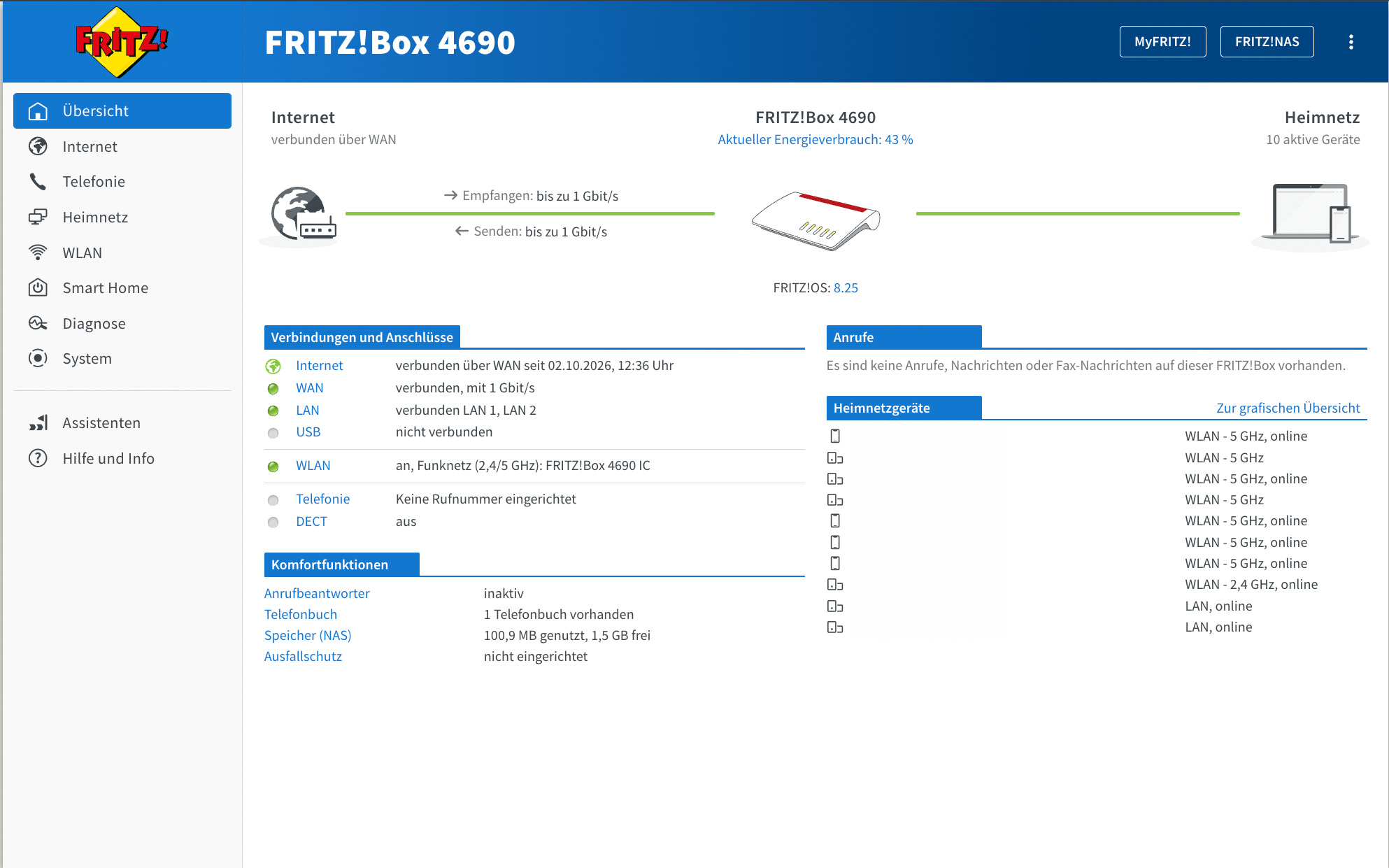
The FRITZ!OS interface offers many more functions than other routers (Image: TechnikNews)
The next major update will be exciting for users like me: FRITZ!OS 8.50 brings, among other things, a built-in DNS filter to block ads and trackers. So far, the new version has only been released for the FRITZ!Box 7690; support for other models is expected to follow. This will make a Pi-hole unnecessary for many users. In addition, FRITZ! will offer what it has been known for for years: long-term update support and a five-year manufacturer's warranty.
Pleasantly inconspicuous in everyday life
My speaker is located right in the middle of my living and sleeping area, and it's precisely there that you notice something you wouldn't normally think of. It doesn't get noticeably warm, makes absolutely no noise, and the LEDs aren't bothersome even in the evening. If they're still too bright for you, you can turn them off in the settings.
Price and trust
The manufacturer's suggested retail price is €319, but the 4690 is usually available for a bit less in stores, currently for €290. That's a lot of money for a router, especially for a small apartment. Those who don't need multi-gigabit or Wi-Fi 7 also find cheaper models without a modem from FRITZ!, such as the FRITZ!Box 4050 with Wi-Fi 6.
Personally, I think the 4690 is worth the price. This is due to its range of functions and software maintenance, but also to something less measurable: FRITZ! is a manufacturer from Berlin, and with a device through which all my data passes, I simply have more trust in them than in many other providers.
Conclusion
The FRITZ!Box 4690 is, in some respects, overkill for my one-room apartment, and that's precisely why I haven't noticed a single weakness in a month. Anyone who already gets their internet via cable from the wall, a fiber optic modem, or an existing provider box, and wants their own fully functional home network behind it, will find this a box that's quick to set up, runs reliably, and, with FRITZ!OS, offers more features than most will ever need. The lack of a 6 GHz band is tolerable, but the price is likely less so for many. However, those willing to pay it will get a router they won't have to worry about for years to come.