
Apple iPad Pro 11“ (2020) in review: The expensive all-round carefree package
A TEST REPORT from David Haydl  on October 29, 2020, 18:00 pm | 🔥 popular | Write a comment
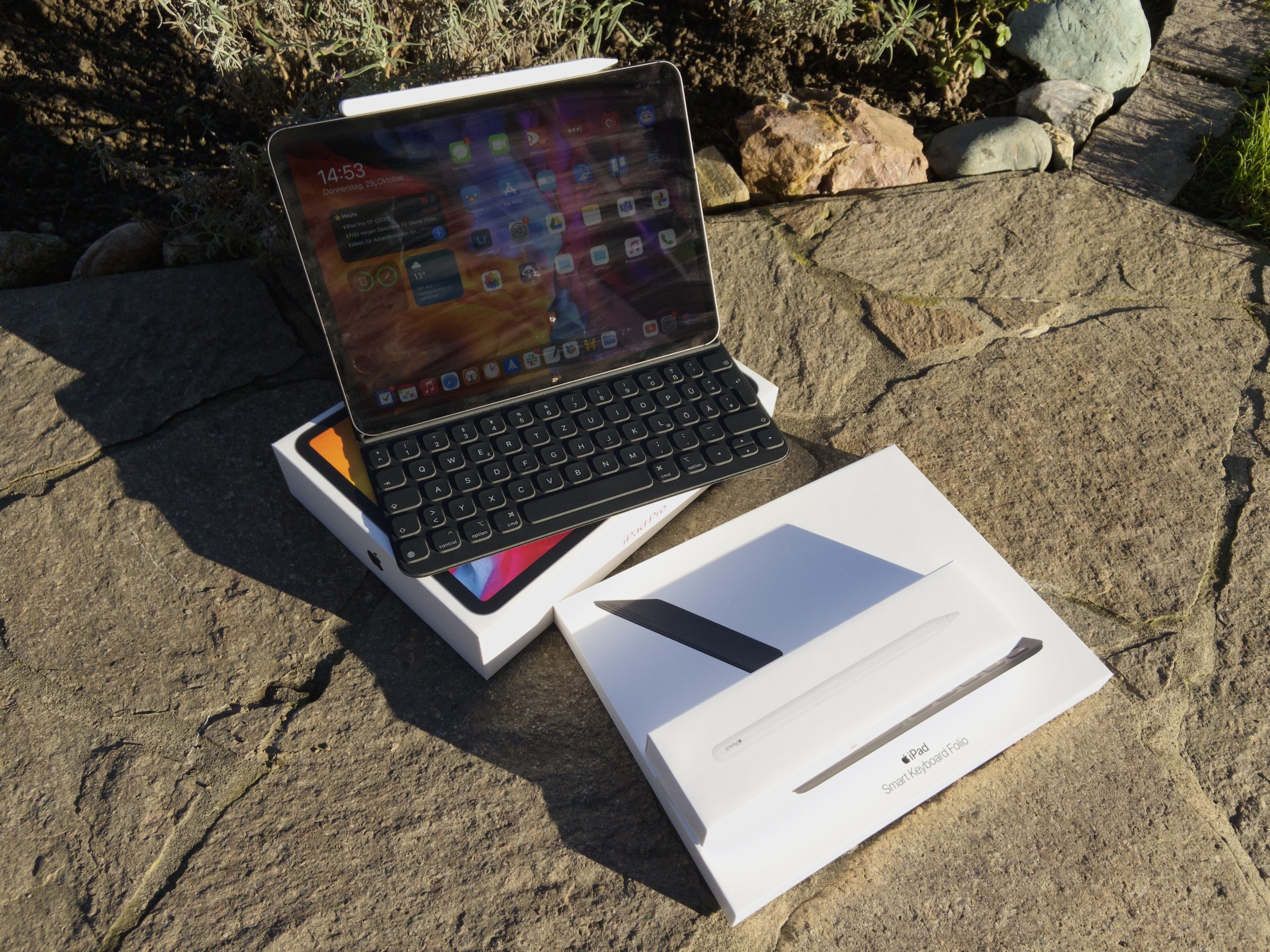
Despite the corona pandemic, Apple introduced the Apple iPad Pro 11" (2020) in the spring. Find out here whether the circumstances have an impact on the tablet and what the differences are from its predecessor.
Apple now offers iPads in every conceivable price and performance class. It starts with that Eighth generation iPad until we get to that iPad Air 3 and the newly published iPad Air 4 finally come to the iPad Pro. To be more precise, I now have the Apple iPad Pro 11" (2020) in front of me. The biggest change, however, is not in the hardware, but in the software. iPadOS 13.4 was released at the same time as the iPad Pro, which for the first time brings support for computer mice and trackpads. But how does this feature work in everyday life in combination with the most expensive iPad? Shouldn't you go for a cheaper device? This review should clarify that once and for all.
Unboxing and initial setup
When unboxing the iPad, you shouldn't expect any big surprises compared to other models. The packaging is white as usual. The only thing you see are logos, product names and a picture of the Apple iPad Pro 11" (2020). If you remove the thin plastic film, the lid can be lifted. As soon as you do that, you can see the tablet resting on top. Underneath there is an 18-watt USB-C power adapter, a USB-C to USB-C cable, Apple stickers, a quick start guide and various other notes.
I not only tested the iPad Pro itself, but also the accessories. First we have the Smart Keyboard Folio, which comes in its own packaging without any major frills. proI tried out the Apple Pencil, which Apple included with a spare tip.
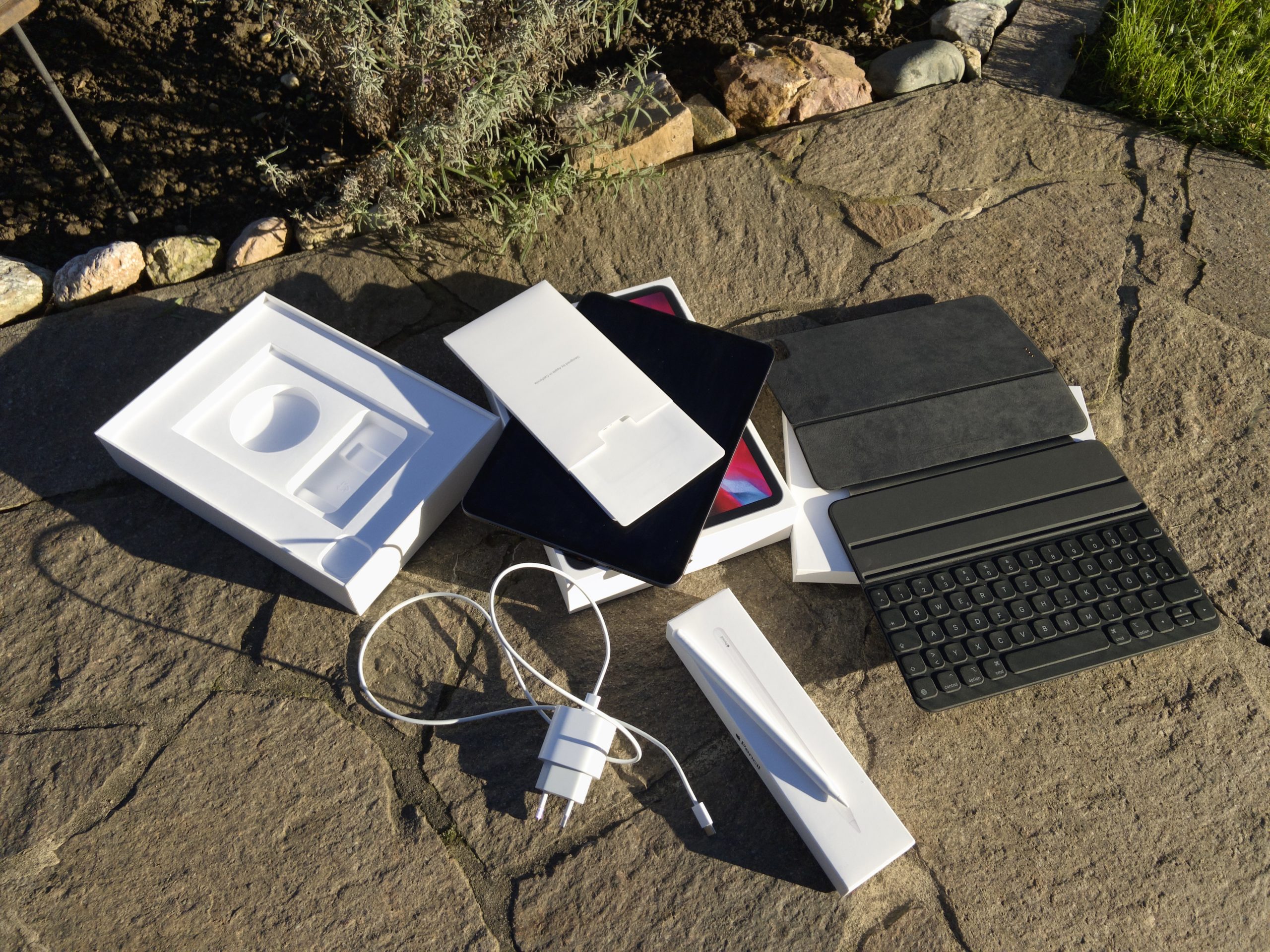
An insight into all three packages. (Image: TechnikNews)
Setting up the tablet is child's play, especially if you already have an iPhone or iPad and bring it close. Then the already configured device will ask you if you want to put the iPad Pro on it. If you allow this, the iPad will automatically take on most of the information (language, region, Apple ID and some others). Face ID, Apple Pay and Siri must be set up separately. These are things that are carried out directly on the device and Apple does not want this sensitive data to be linked to the Apple ID via the cloud. After that, any software updates that are due can be downloaded if desired. The first setup should not take longer than half an hour, including downloading updates.
And what about the accessories you just unpacked? The iPad can be inserted directly into the Smart Keyboard Folio, which is then recognized immediately. To connect the Apple Pencil, you must first activate Bluetooth, as this is used for communication between the two devices. Then the pen just needs to be pinned to the right side of the tablet. A small pop-up should appear at the top of the display to confirm.
Design and workmanship
The design of the Apple iPad Pro 11" (2020) is very similar to its predecessor from 2018. In other words, we have the Smart Connector for keyboard covers on the back and thin display edges with rounded corners. Only the camera module on the back looks different. I'll explain what this is all about in more detail later.
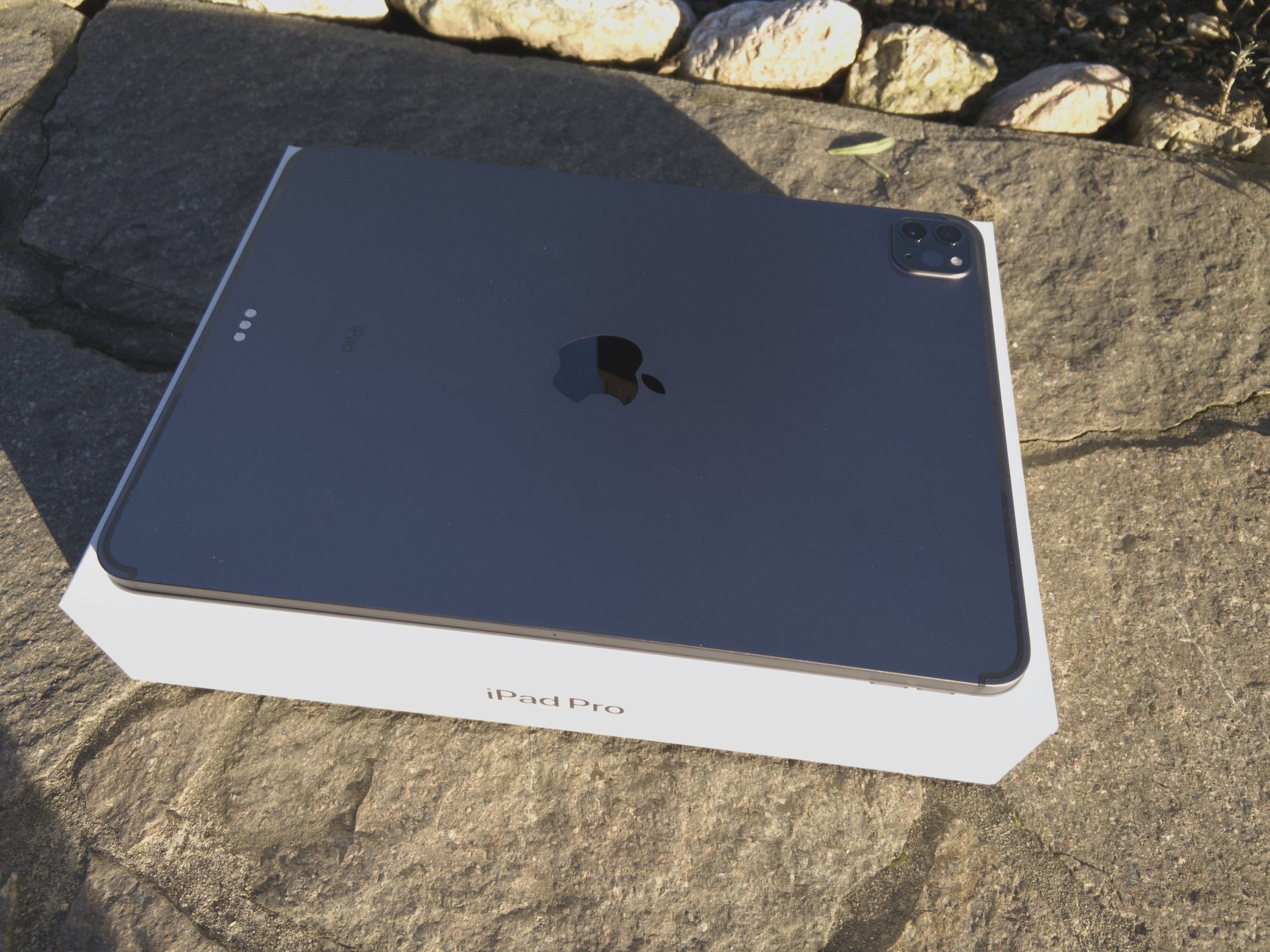
The back of the iPad Pro changed a little compared to its predecessor. (Image: TechnikNews)
Apple still sells the iPad Pro in two colors. These are space gray and silver. I have the iPad in the former option.
There are no defects in the workmanship so far. Apple once again chose aluminum for the material. Yes, I also know the stories from the predecessor, where the devices sometimes arrived at customers already bent, or the video in which JerryRigEverything broke the tablet in half without much effort. I currently have no bends or similar abnormalities, but I would never use the device with its thickness of only five millimeters without the Smart Keyboard Folio. EverythingApplePro supports my fear with its bend test on the iPad. On the other hand, the Apple iPad Pro 11" (2020) is very light at around 470 grams. This means that you can proeasily take it with you anywhere or hold it in your hand for longer.
A clear advantage of the iPads in the Pro series are the stereo speakers - two of them on the top, two of them on the bottom. Due to the positioning, these cannot be covered so easily. And then they are also loud and clear and they have a surprisingly good bass. That is not what you would expect from such a thin device. In my opinion, the sound quality even comes close to that of the speakers of the MacBook Pro 13" turn.
If you're looking for connections, you won't find much, as there are hardly any. Apple only installed a USB-C connector in the iPad Pro, there is no 3,5-millimeter jack. Personally, that doesn't bother me - thanks to Bluetooth headphones - but I also understand if some people don't get on so well with it. Especially when you consider that the iPad has the term "Pro" in its name. On the other hand, USB-C allows you to connect all kinds of accessories, adapters and external monitors. Data transfers of up to 10 gigabits are also possible. pro second possible. All in all, I think the connection is a lot better than Lightning.
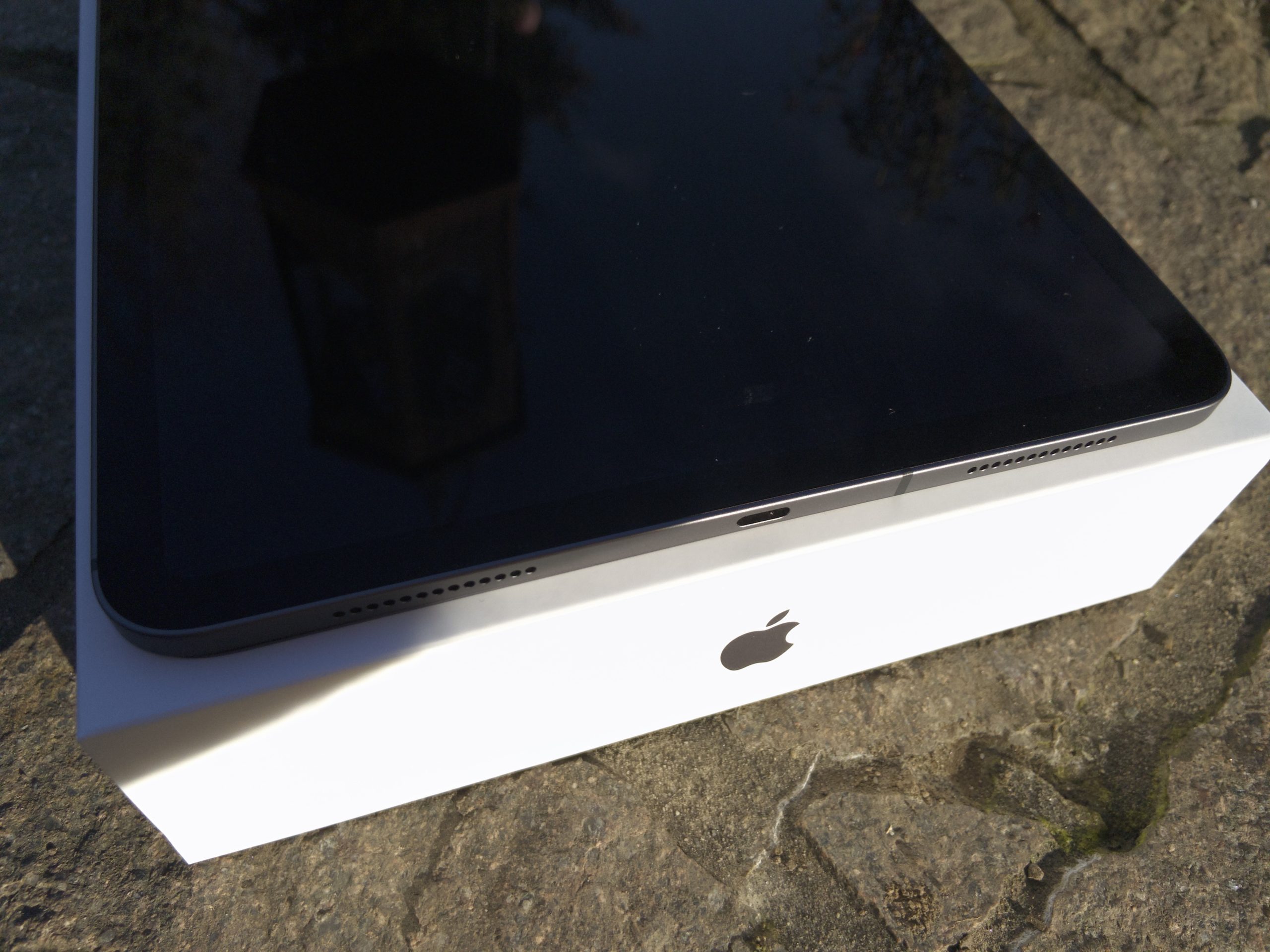
The iPad only has one USB-C port. (Image: TechnikNews)
Display
As the title of the review suggests, the display is 11 inches. Apple calls the LCD "Liquid Retina", it has a resolution of 1.668 x 2.388 pixels. The colors are great and the maximum brightness is sufficient, but you can see individual pixels on closer inspection. However, this is not particularly noticeable in everyday use.
The refresh rate of the image is a maximum of 120 Hertz, which Apple sells as “ProMotion”. I deliberately say “maximum” because the number of images pro Adjusts the second dynamically. When viewing an image, for example, this is minimized, which ultimately results in a slightly longer battery life. I quickly learned to love this feature and don't want to be without it anymore. It is particularly noticeable when using the Apple Pencil, as the writing experience is even more natural here and what is written literally flows out of the pen.
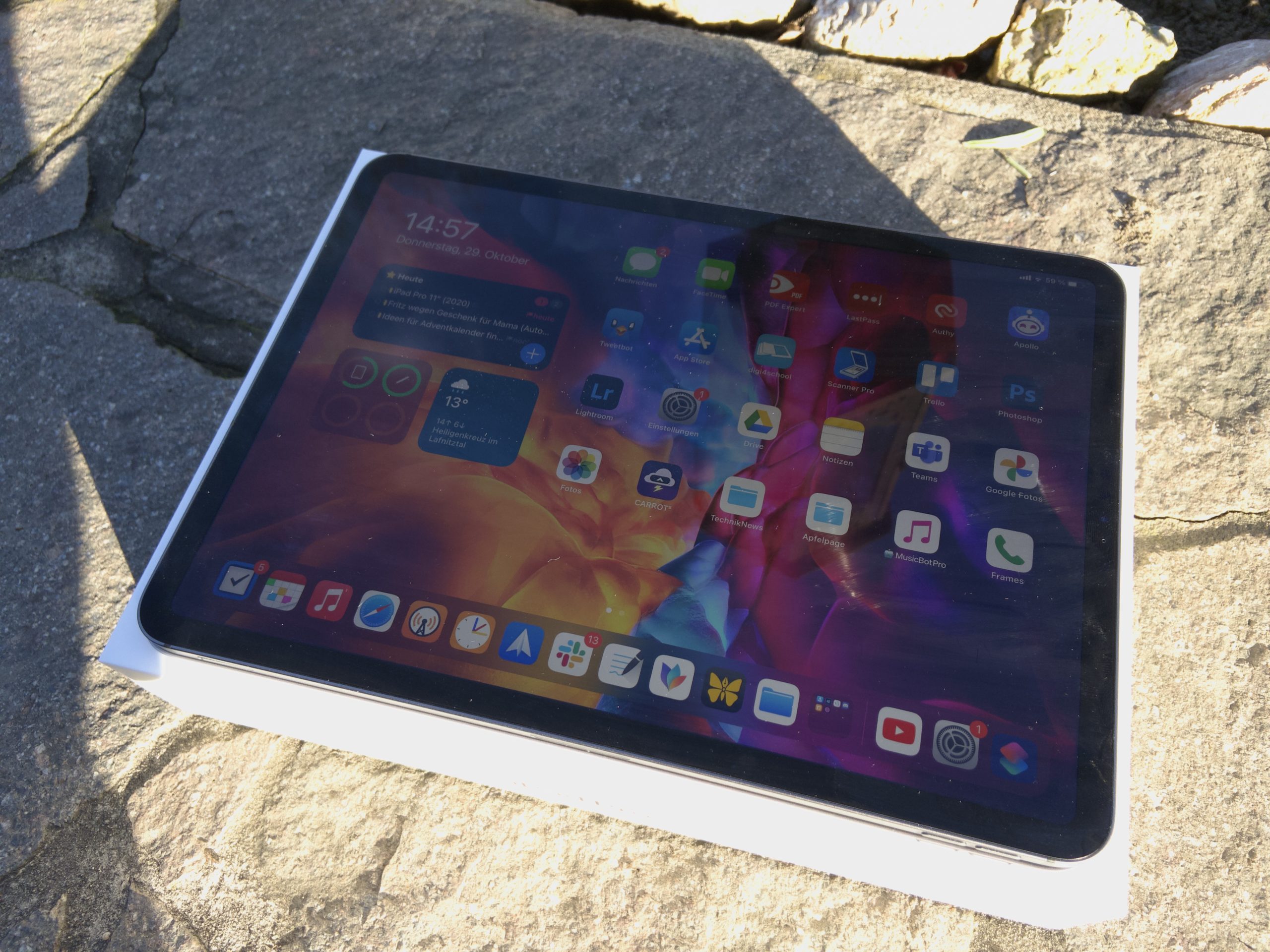
The display is particularly impressive with the ProMotion feature. (Image: TechnikNews)
The sensors for Face ID are located above the display. The manufacturer dared to take the step from fingerprint sensors to face recognition as early as 2018. With the iPad, this even works in landscape format and upside down. And if you cover the sensors once, you will be informed in a friendly manner that the face cannot be recognized. Scanning usually works just fine, as we know it from the iPhones - as long as the tablet is not on a table. Then it can happen that you don't look at the right angle. Annoying, that wouldn't happen with an iPad Air 4 and Touch ID.
While we're already talking about Face ID, we also have to briefly clarify why Touch ID couldn't just stay in the home button. The reason for this is the thinner display bezels. Looks totally sexy at first glance, but it has a disadvantage. In fact, you don't have too much surface for your hands to attack. Not too significant for me with my medium-sized hands, but Apple should definitely not make the edges any thinner. Fun fact: Thanks to the thinner edges, it no longer feels so wrong if you hold the tablet with the bitten apple upside down.
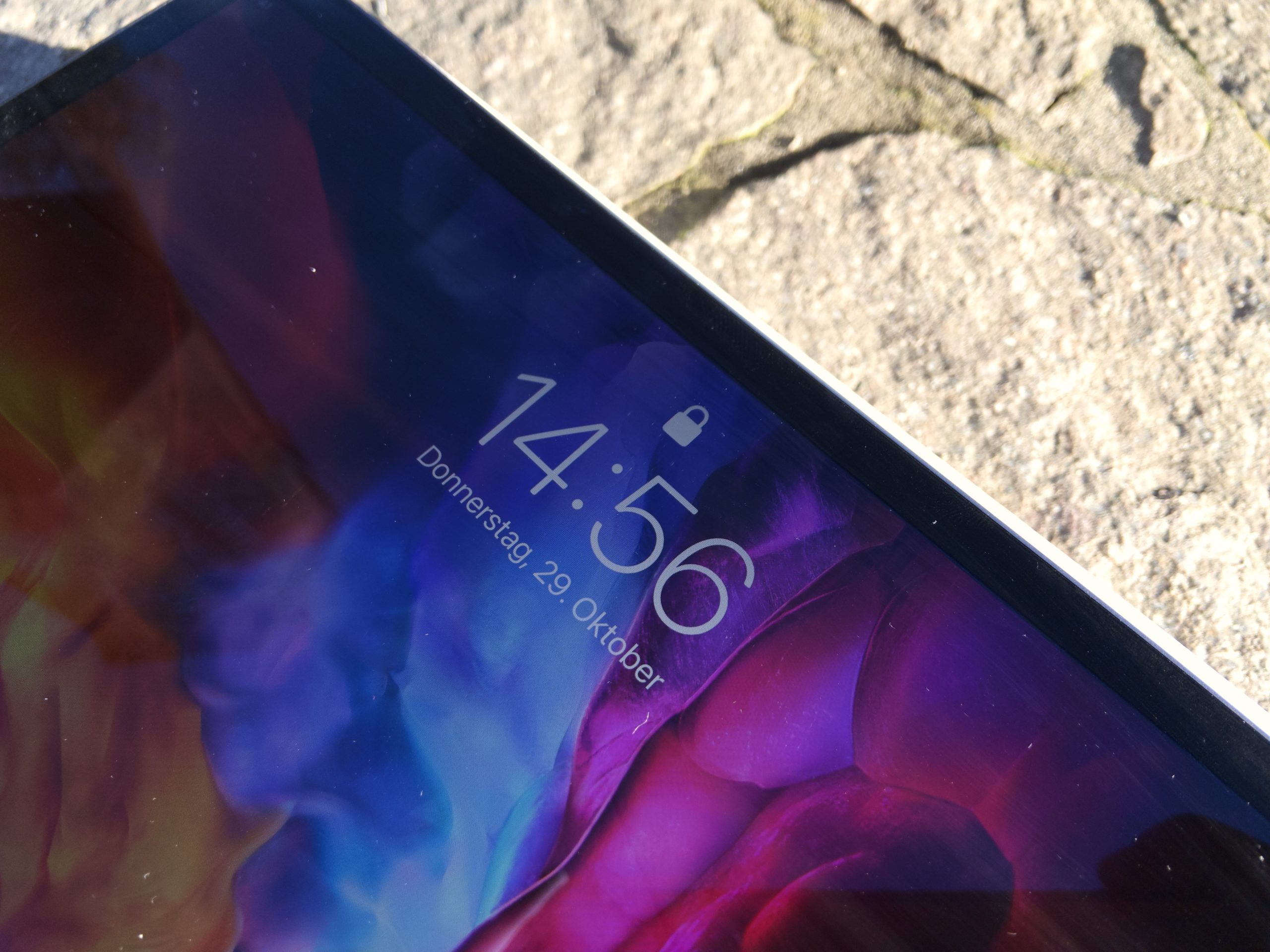
Face ID is used in the iPad Pro. (Image: TechnikNews)
True Tone is still around and over again. In theory, this feature should adjust the color temperature of the display to the brightness of the environment. That sounds well and good, but while using it, I hardly noticed any added value with this Apple device. So I deactivated this function again.
Accessories
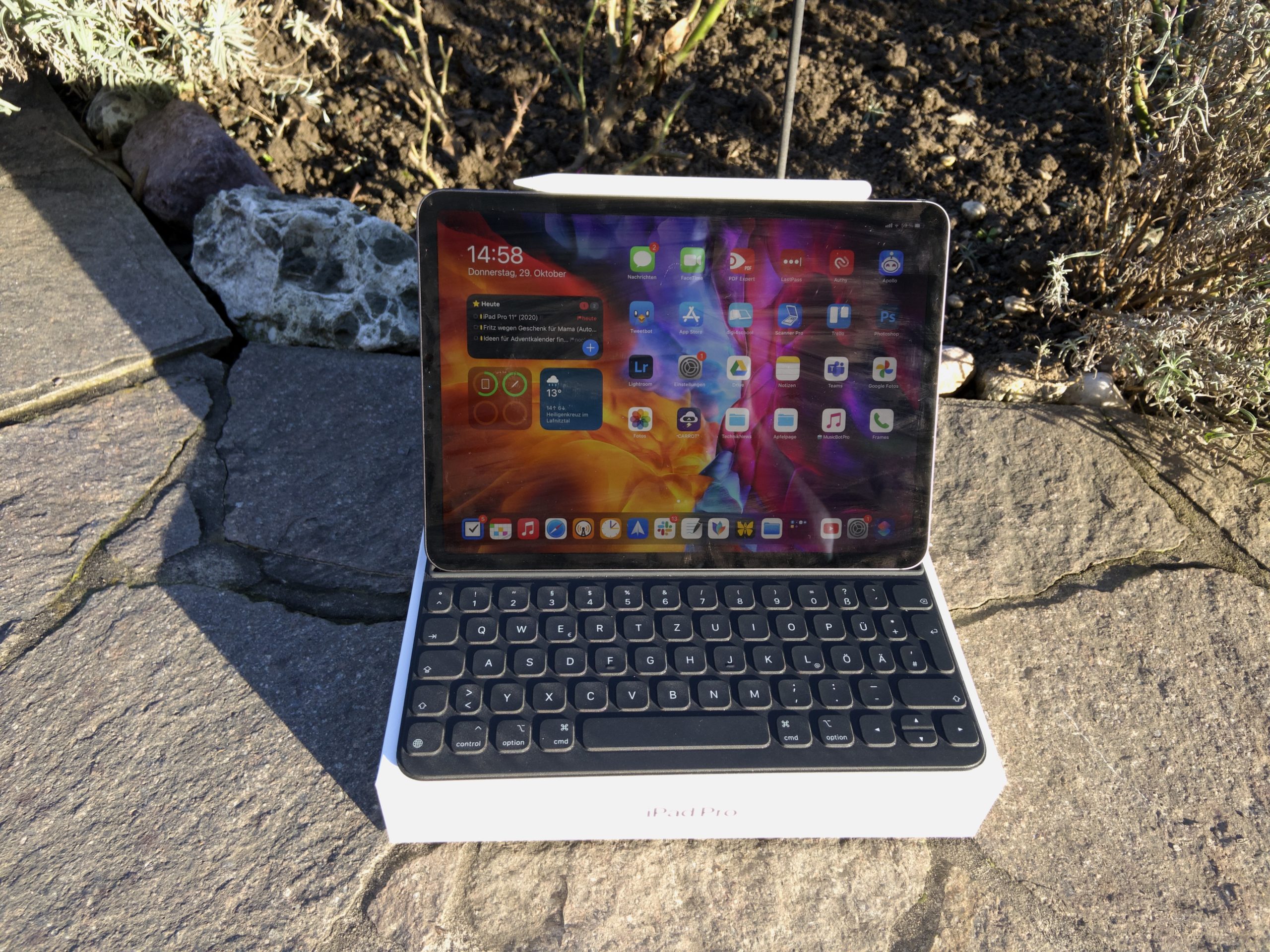
In total, there are four different things from Apple that you can buy for your iPad Pro. Apple sells the Apple Pencil, the Smart Keyboard Folio, the Magic Keyboard and various Folio Cases. I was able to get the Pencil and the Keyboard Folio fromprobeer
Picture: TechnikNews
Apple Pencil
The Apple Pencil for the Pro is the second generation of the pencil, which is held magnetically to the side of the tablet and is also charged inductively there. This eliminated the completely insane charging mechanism of the first Pencil and with it the small cap that was supposed to protect the lightning plug for charging and that seemed to be lost by 99 percent of buyers (luckily not me). By storing it directly on the device, you no longer have to worry about transporting it - the pencil is always with you. And worries about the Apple Pencil not charging are now a thing of the past.
The writing experience with the Pencil is very pleasant. And thanks to the ProMotion display, writing seems even more natural. The pen sits very well in the hand and thanks to the new matte surface, it is now easier to grip. The flattened side that the Pencil holds on to the iPad also has a positive effect here, as it gives you a good place for your index finger or thumb. The stylus is not too thick and not too heavy, so it can easily be used for several hours at a time - this pays off especially on long school days.
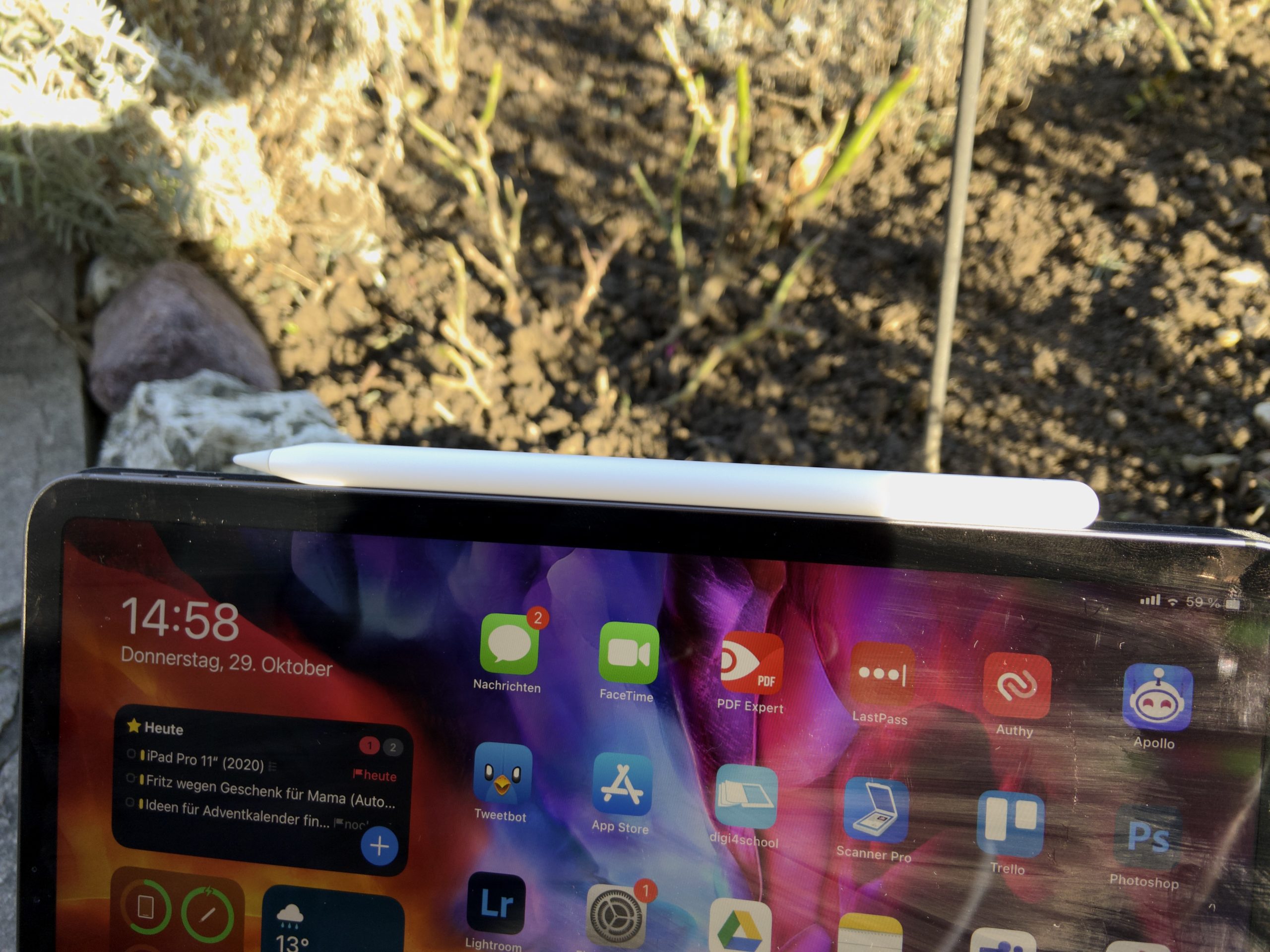
The Apple Pencil is magnetically charged on the side of the iPad. (Image: TechnikNews)
Compared to the first generation, double tapping with one finger was also added. In the settings of the iPad there is a point where you can define what should happen with this gesture. You can either switch to the eraser in a drawing or note-taking app, jump to the last tool you used, or view the color palette. The whole thing works not only in standard Apple apps, but also in third-party apps such as GoodNotes. The only drawback to this functionality: In my test, I often noticed that there were incorrect entries. This happened especially often when I just put the pen to one side.
Smart Keyboard Folio
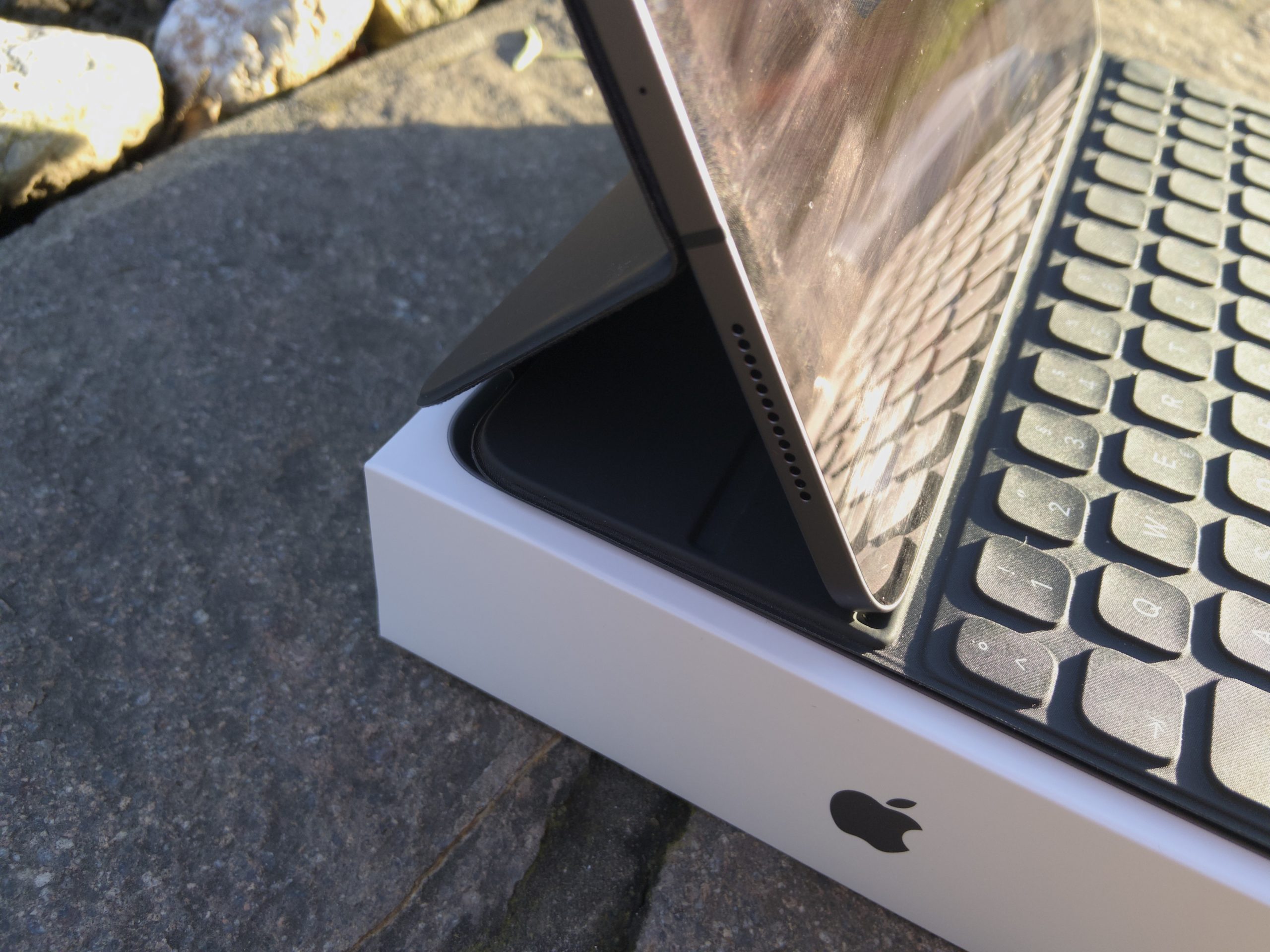
The Smart Keyboard Folio is similar to the Smart Keyboard for older iPads, with the great advantage that the weird origami mechanism is no longer necessary. The case is completely magnetic and can be folded up like a book with the iPad. So far so good, but the magnets in the folio give me a little headache. Well, no matter how crooked I hold it, the iPad has never fallen out. However, only a light press is enough to bring the tablet out of its current position.
Picture: TechnikNews
Compared to the older Smart Keyboard, what is new is that there are two different angles. Most of the time I used the second stage because it is more comfortable for me to work with. But when I sit at my desk for FaceTimen, the steeper angle is better because I usually sit in a not so upright position.
The feel of the keys is completely the same as on the previous version of the keyboard. Apple didn't change anything here, which didn't bother me at all. A big plus point of this keyboard is that no liquids or dirt can penetrate and damage the keys.
Why not a Magic Keyboard?
But David, why don't you have the new Magic Keyboard that even makes the iPad Pro float in the air?
I gave a lot of thought beforehand about which keyboard I should get for my iPad. Sure, the Magic Keyboard in combination with the iPad looks super futuristic. It's also a bit softer to type on and the keys are backlit. And on top of that you also get a small trackpad. But when it comes to using the pen, you have to take the iPad Pro 11" (2020) out of the holder and put it on the table without any protection. Since this scenario happens quite often for me, the Magic Keyboard was simply out of the question for me because I don't want to scratch my iPad by moving it around.
Do I regret this decision? No, not at all. I am already used to these keys and have written several articles and reviews for this iPad keyboard combo TechnikNews, including this one. The Magic Keyboard would simply limit me in everyday life, despite the pluses that it would bring with it.
Please don't get me wrong! If one of you never needs the pen at all and is typing texts all day on your iPad, the Magic Keyboard is clearly the better choice.
Specifications
The iPad Pro from 2020 is powered by the in-house A12Z Bionic. This is basically the A12X Bionic from 2018 with the exception that another processor core of the graphics unit has been activated. But do you notice this in everyday life? Nope! Nevertheless, you can hardly bring the iPad to its knees. During my test, there was neither a crash of iPadOS or any app, nor any long waiting times anywhere. It didn't matter whether I was surfing with a few tabs in Safari, or whether I was playing Oceanhorn 2 and editing photos with Photoshop or Lightroom. Here the iPad clearly lives up to its name. In terms of numbers, the tablet scores 712.218 points in Antutu, 1.120 points in the Geekbench single-core score, and 4.643 points in the multi-core score. Compared to the A12X, that's just a very small jump and in the single score the processor is even overtaken by the new A14 Bionic.
I have the entry-level version of the iPad Pro, which means that my model has 128 gigabytes of storage. For those who can't manage with that, Apple also offers options with more storage, but the maximum is one terabyte. A 64 gigabyte version is no longer available. Although I've always been fine with this size, more storage for the same price is always nice to have. Since I store my data in the cloud anyway, I'm not using any more of the available space than before. Alternatively, you can also move your files to external storage media - this has only really been possible since the release of iPadOS 13.
The RAM in the Apple iPad Pro 11" (2020) is six gigabytes. Everyone should be able to cope with that. I never managed to use many apps at the same time and have to reload one of them. The RAM is definitely sufficient even for using larger apps.
The battery life never got in the way when using it, as you already know from other iPads. The battery has a capacity of 28,65 watt hours. On one of my usual days I got the battery straight through the whole time with a running time of about eight to nine hours. Thanks to the included 18-watt power adapter, the tablet is quickly ready for use again. In my test, a full charge took about two hours. That is viel better than with the 5-watt plug that Apple supplied with older models.
For a connection to the Internet, Wi-Fi ac is available in all configurations for connections with 2,4 gigahertz and 5 gigahertz networks. A version with an LTE module is optionally available for a small surcharge. The iPads are not yet capable of 5G.
Software
Although the iPad Pro still comes with iPadOS 13 from the factory (usually it is still iPadOS 13.7 at the moment), you can download and install the update for iPadOS 14 during setup. The new home screen widgets are also the big innovation in the operating system for the iPad. They are placed in the sidebar that Apple introduced with iPadOS 13 - unfortunately they cannot be distributed across the home screen.
With iPadOS 13.4, support for external mice and trackpads was added. Either you use an accessory like the aforementioned Magic Keyboard to make use of the functionality, or you use a mouse or your own trackpad. Once such an input device is connected, a small circular cursor appears on the screen when you use it. The special thing about the whole thing is that it can adapt to the context of the current software. For example, if you are on the home screen and touch an app icon, the cursor takes on the shape of this. Or it can be used as a small highlighter in Notes or Word, making it easier to mark individual passages or larger passages. In my opinion, Apple did everything right with integrating support. Everything feels so logical because the controls have been precisely tailored to the iPad. Even as a newbie you don't have to worry too much about how it works.
Of course, the surface can still be operated with your finger, the Apple Pencil or with key combinations on a keyboard. The special feature of using the Apple Pencil is that you can write in text fields to fill them out. Apple calls this "scribbling". I rarely used this in my test, as the system rarely gets used to my handwriting and tends to spit out incorrect results. I don't think my writing is overly hideous now, though.
The App Store really breathes life into the iPad Pro. No matter what you're looking for, the App Store seems to have an app for everything. Be it MindNode for creating mind maps, Word or the fabulous Ulysses for writing texts, Todoist for managing your tasks, GoodNotes for handwritten notes, Google Drive for storing files or YouTube and Netflix for entertainment in between - the App Store has them all. If you're not yet familiar with Apple's app marketplace, you'll notice that many apps are either paid for or offer a paid subscription after installation. Not everyone may welcome that. In my opinion, the store really has some masterpieces to offer. And I'm happy to spend money on good products that, in the best case, also spice up my everyday life. Apps are also much better adapted to the available display space (with a few lousy exceptions like Instagram). This is largely not the case with Android apps on tablets. The App Store also gives you access to Apple Arcade. This is a game subscription where you can get around five euros pro month or around 50 euros pro year gets access to several 100 premium titles.


Otherwise, the OS didn't change compared to last year, which is why I recommend that you take a look at my iPad Air 3 test report, which is linked above, if you want to find out more details. My highlights are still the integrated dark mode and the many multitasking options. Slide Over, which is an option, I described a year ago here more accurate.
While using the system, I noticed small errors here and there. Although these did not limit the user experience, they were still noticeable. For example, the screenshot menu gave me several problems. That's not nice, and Apple could certainly do better. However, it's not as bad as with iPadOS 13, and to be honest, I'm used to these little bugs by now - as strange as it may sound. However, these are often fixed by installing software updates.
camera
Now let's take a quick look at the cameras. In principle, I am still of the opinion that a tablet is absolutely unsuitable as a main camera (what else are there smartphones for?). However, I also believe that the iPad can be very useful as a “replacement camera” in some situations - this is how I will classify it in the evaluation.
On the back we have a dual camera, with a wide-angle sensor with 12 megapixels (f / 1.8) and an ultra-wide-angle sensor with 10 megapixels (f / 2.4). With this it is not only possible to take normal pictures, but also to snap panoramas and portraits. The results look very good, sharp and colorful for a tablet - you can definitely use them if you don't have an iPhone at hand. But as soon as the light conditions get worse, there is a layer in the shaft.
Apple also installed a LiDAR sensor on the back for applications with Augumented Reality (AR). This measures how long it takes for a transmitted light beam to be reflected by an object and to arrive again. This allows AR objects to be placed more precisely and photos in poor lighting conditions to be more detailed.
The front camera has a resolution of seven megapixels (f / 2.2) and can record videos in 1080p. Thanks to the sensors for Face ID, it also supports portrait mode and the Animoji feature. Should you ever feel the need to snap selfies with the iPad, the front camera is also totally sufficient. It is much more likely to be used in FaceTimen. For my interlocutors, I was always represented sharply and lifelike with regard to the colors. In bad light there was always a slight noise.
Prices and availability
The iPad Pro is available from Apple, Amazon and MediaMarkt, among others. For the entry-level configuration, you have to pay 879 euros (RRP). The Apple Pencil costs an additional 135 euros and Apple charges a whopping 199 euros for the Smart Keyboard Folio. If you are interested in the Magic Keyboard, you will have to dig a little deeper into your pockets. Apple is asking 339 euros for this.
Apple iPad Pro 11“ (2020): Conclusion
The iPad Pro is a helpful everyday companion. It is compact, light and handy, offers reliable performance and a long battery life, and in the App Store you can get every app you need to get your tasks done. I am skeptical about the processor's performance compared to that of the A14 Bionic in the iPad Air 4 and the associated future of the smaller Pro. In terms of processor, the cheaper iPad is already outperforming the more expensive Pro, and in all other aspects the Air is already dangerously close to the 11-inch iPad Pro. The only real added value of the small iPad Pro is currently the ProMotion display and the faster transfer rates of the USB-C port. A new iPad Pro will probably be clearly superior to the Air again, but at the moment I would recommend the Air to most prospective buyers instead of the small Pro - so the latter will probably have a bit more difficulty in the coming months.
I couldn't fault the workmanship. But I'll still be more careful with the device because I don't want my iPad to bend or anything else to happen in that direction. I also hope that the display bezels will not become even thinner in the future, as you can no longer touch the tablet properly. So far, I was also satisfied with the Apple Pencil and the Smart Keyboard Folio. Apple could only reduce the sensitivity of the double-tap feature a little in the future.
The cameras are by no means as good as in the iPhones, but they are definitely sufficient for occasional recordings.
In principle, iPadOS was a lot of fun to use, but the constant errors in the software are a bit annoying. I hope that Apple will get a better grip on this in the future, even if iPadOS 14 is much more stable than iPadOS 13 was. On the other hand, I really liked things like the cursor integration again. It was very important to Apple that the controls look as natural as possible. And in my opinion that worked very well.
Whether I can recommend the iPad Pro depends on what you need it for. It is perfect for creative work, for example. Thanks to the available processing power, even graphics-hungry applications run like clockwork. If you don't count yourself as part of this or a similar target group, the Air 4 is definitely a better choice.