
iCloud: How to set up the new folder sharing
A ADVICE from David Haydl  on March 28, 2020, 13:46 pm | Write a comment
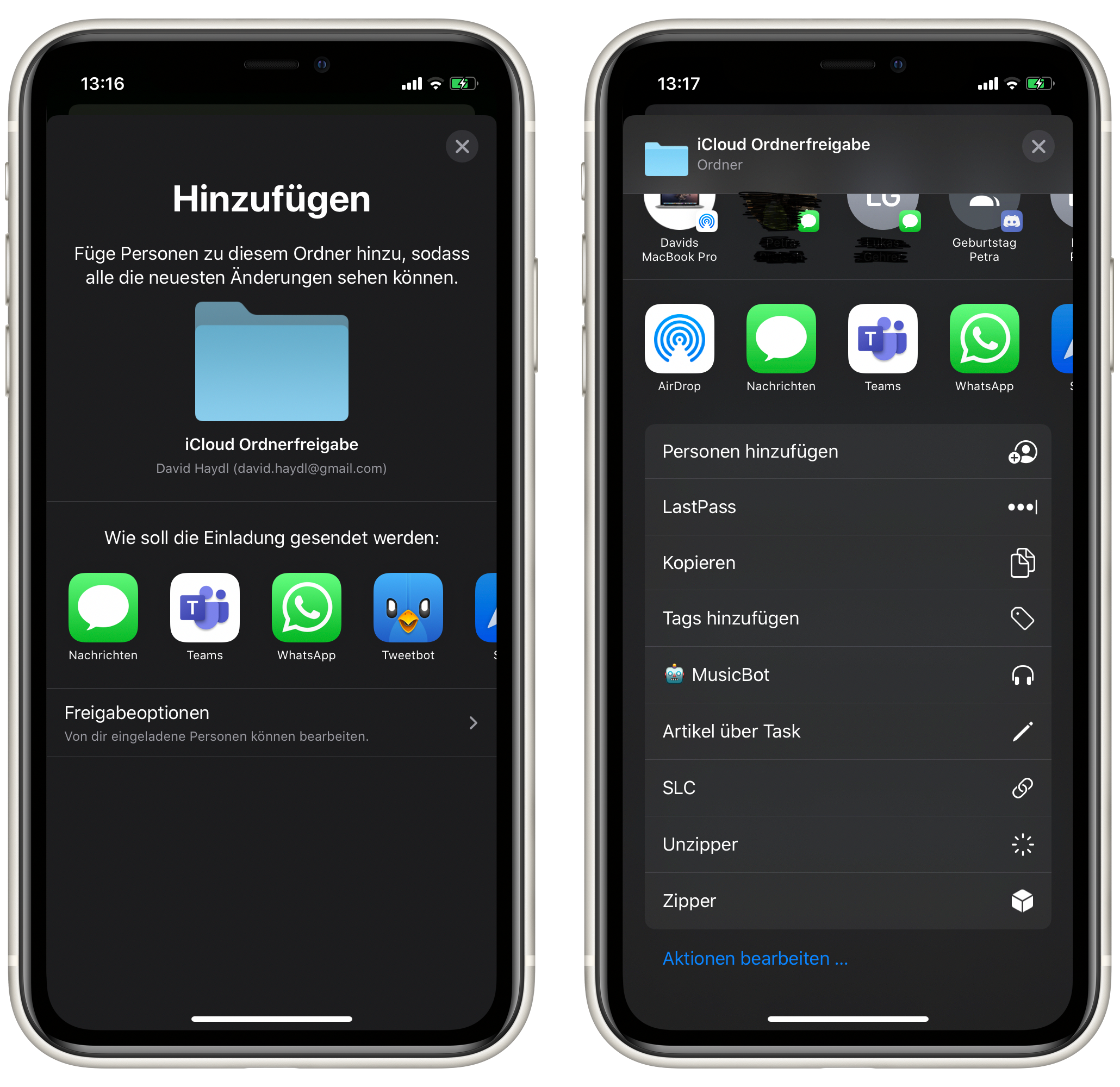
With iOS 13.4, iPadOS 13.4 and macOS 10.15.4 allows Apple to share folders via iCloud. We'll show you how to do it.
In fact, in iOS 13, iPadOS 13 and also macOS Catalina it was not possible to share folders in iCloud with other people. Since yesterday, the latest versions of the three operating systems have been available where Apple has upgraded this function. Now the question is: how does the feature actually work?
iOS / iPadOS
If you want to share a folder via iOS or iPadOS, proceed as follows:
- The first thing to do is find and open the Files app. If you have uninstalled this, you have to reload it via the App Store.
- Then you have to make sure that you are in the iCloud area. You can do that by tapping on "Search" at the bottom right and selecting "iCloud" from the list. If the point is not visible, it can be shown using the three-point menu at the top right and "Edit".
- Now you have to look for a folder that you would like to share.
- Once you have found one, you have to select "Share" and "Add people" via the context menu (long press on the folder).
- Now you have to select a service through which you want to send the invitation to the folder. In addition, you can adjust the sharing rights for other users if necessary.
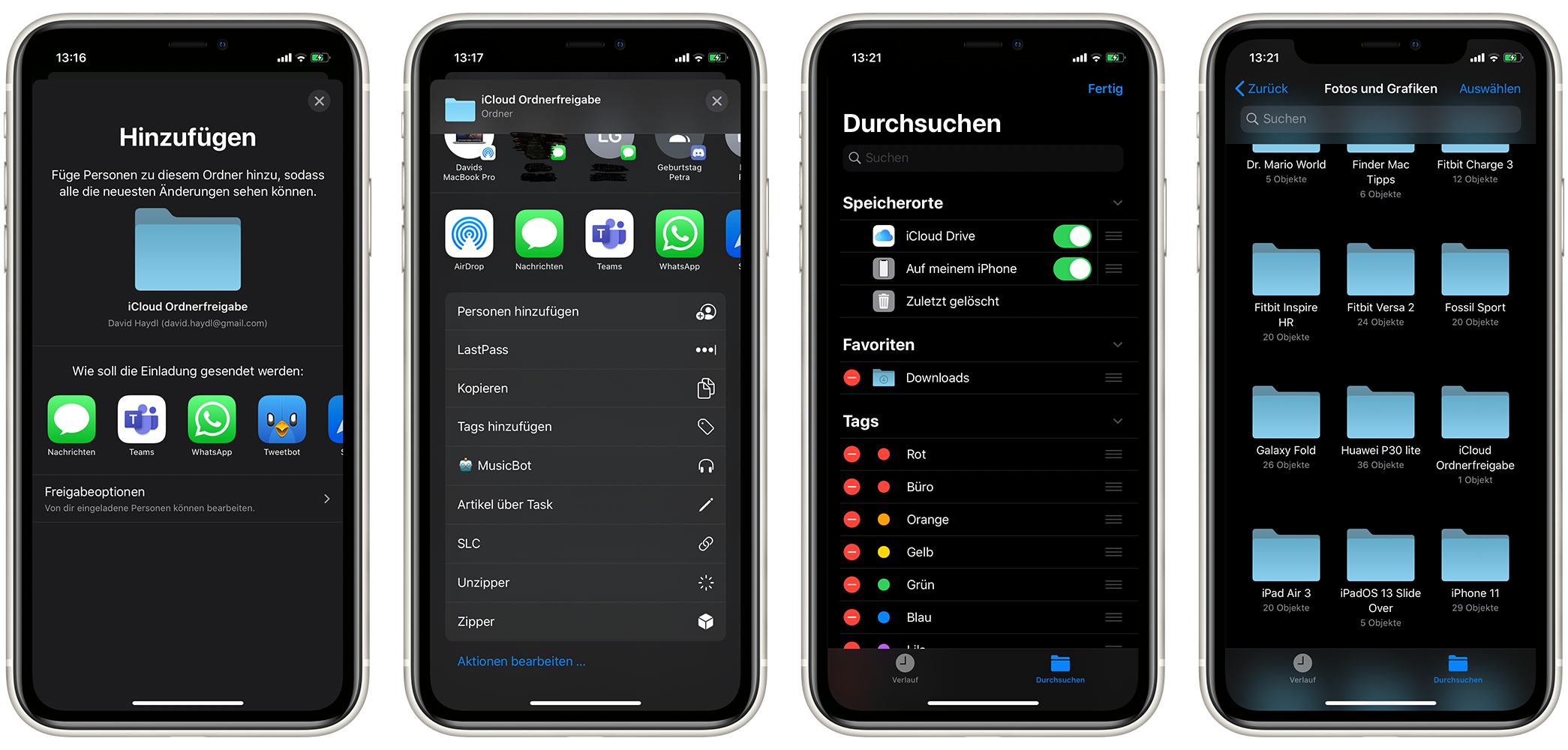
Picture: TechnikNews (Screenshot)
MacOS
And this is what the process looks like on a Mac or MacBook:
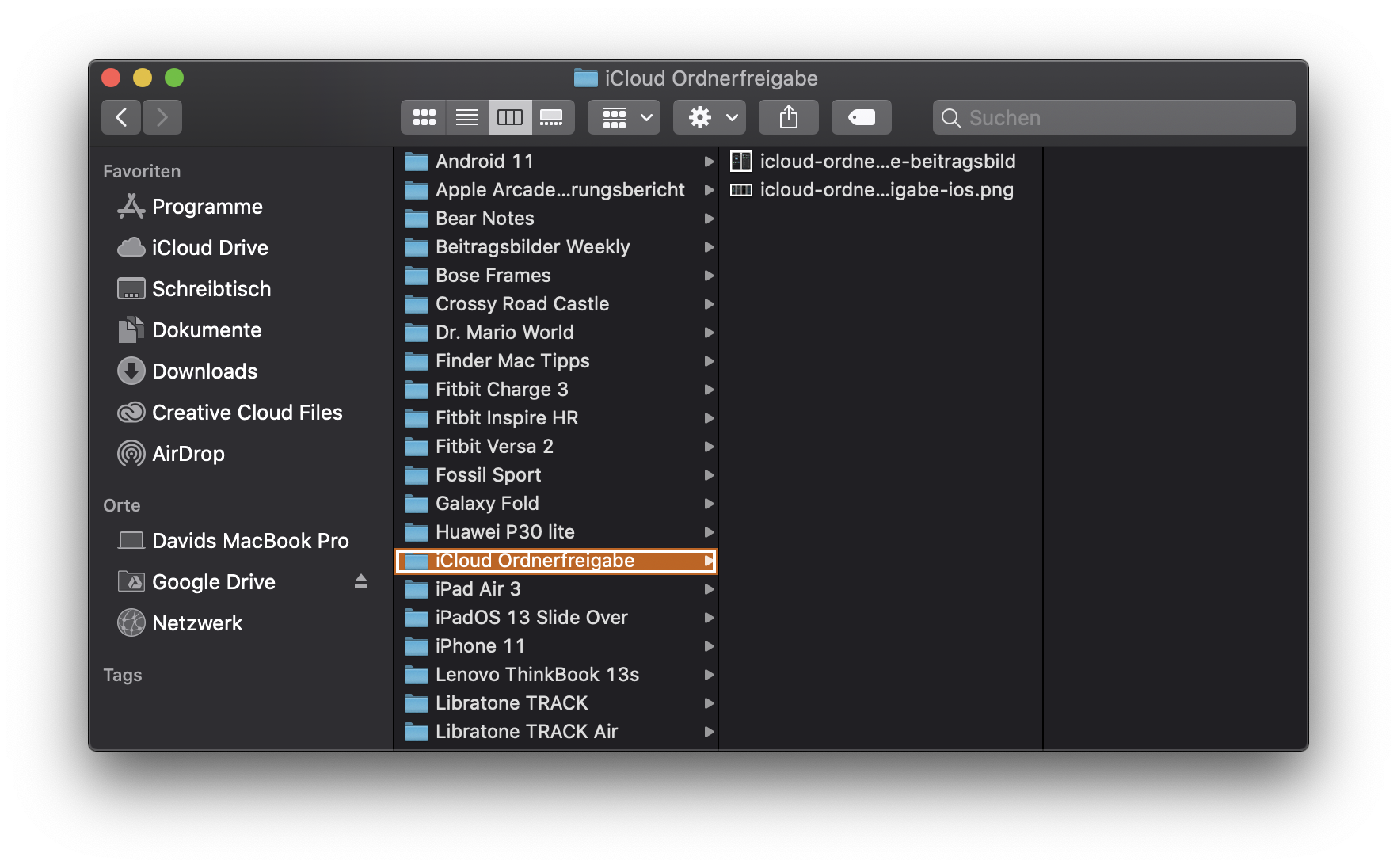
- First you have to navigate to the iCloud folder. If this is not already in the left sidebar of the Finder, you can reach it via the following path:
/Users/USERNAME/Library/Mobile Documents/com~apple~CloudDocs/.USERNAMEyou have to replace it with your own username. You find out this when you open the terminal andwhoamienters. - When this step is done, you have to select a folder that you would like to share with other people.
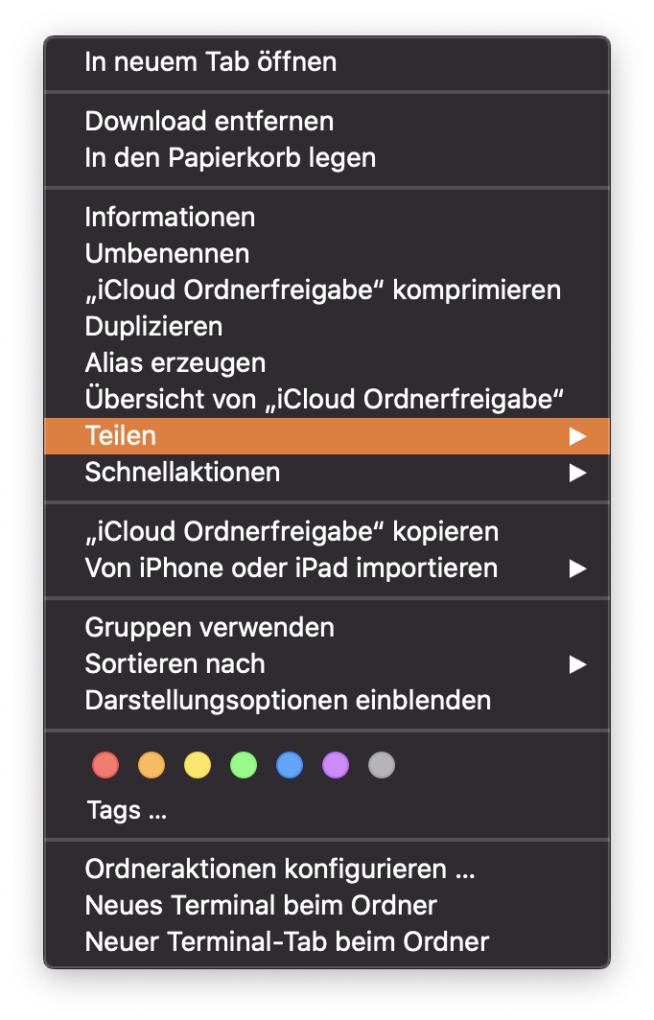
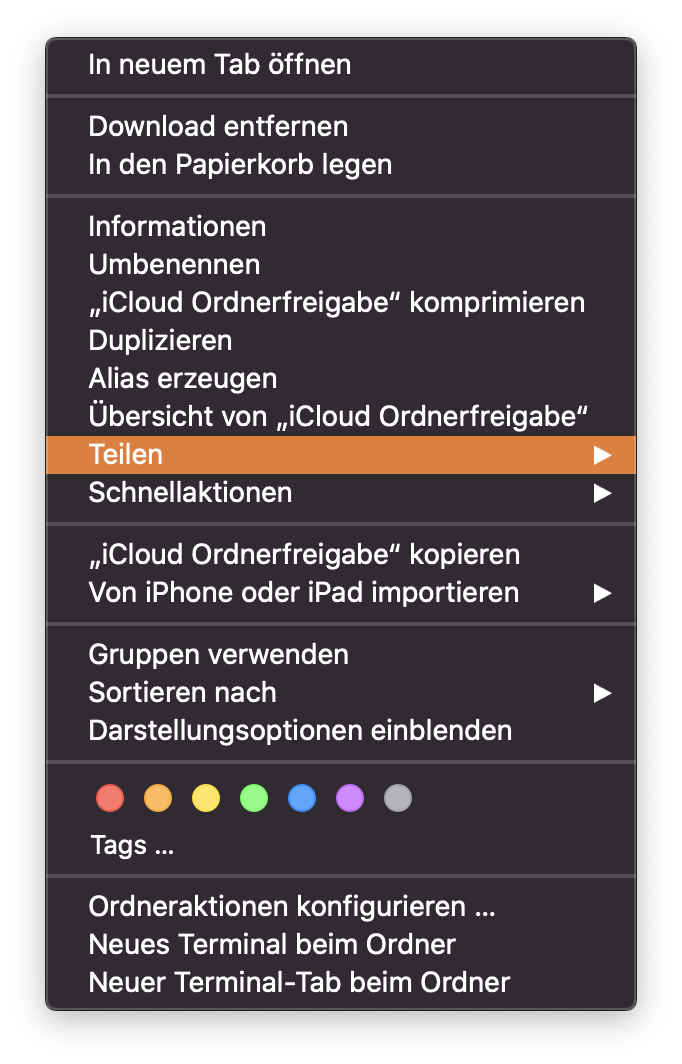
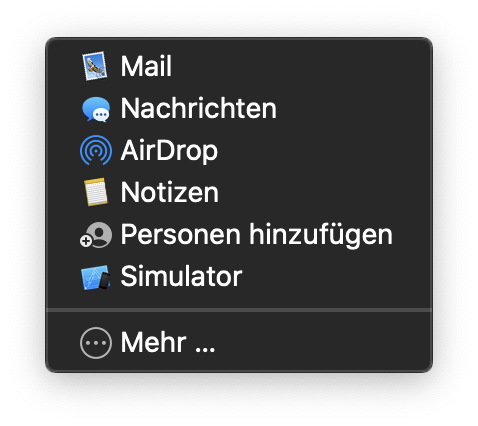
- Now you have to call up the context menu with a secondary click and look for the item "Share". After that there is another point “Add people”. You have to click on it.
- At this point you have to select again how you want to share the share. Otherwise, you can also optionally edit the release rights here.
-
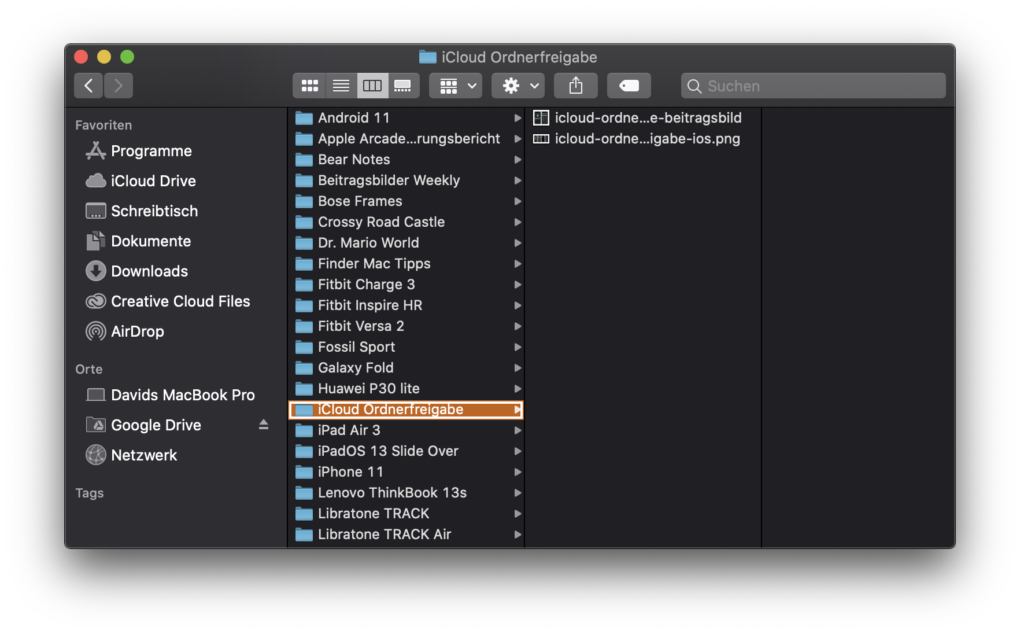
- Picture: TechnikNews (Screenshot)
-
- Picture: TechnikNews (Screenshot)
-
- Picture: TechnikNews (Screenshot)
Summary: Key takeaways about intuitive eating
- Find a folder in iCloud that you want to share with.
- In the context menu of the folder, select the items "Share" and "Add people".
- Edit the release rights on request.
- Share the share with other people using the options provided.
It is important that the latest software is running on the transmitter and receiver device. For most of them, this should already be available via the device's system settings. If this is not the case, it is advisable to wait a few more days.